Feature guide · recorded in the Venura app
Make a banquet quotation and send it on WhatsApp
Turn an enquiry into a quotation with hall rent, extras and GST, send the PDF on WhatsApp, and confirm it as the booking when the advance comes in.
- Enquiry
- Quotation with GST
- PDF on WhatsApp
- Booking
Quotations are part of Venura Pro. Every Pro feature is free for the 30-day trial.
By Sumeet Yadav · Co-Founder & CTO, Venura · checked in the app on 8 November 2026
Set these up once
Your halls and their rent
The hall rent you set for each venue is filled into every quotation, and you can still change it per quotation.
Account → Business Setup → Venue Settings
GST
Add your GSTIN, state code and default GST rate once. Quotations then show the taxable amount and CGST and SGST, or IGST for a client from another state.
Account → Business Setup → Tax Configuration
Logo, address and terms
Your logo, business name, address and GSTIN appear on the quotation PDF, and you can add your terms and conditions too.
Account → Branding & Receipts
Step by step
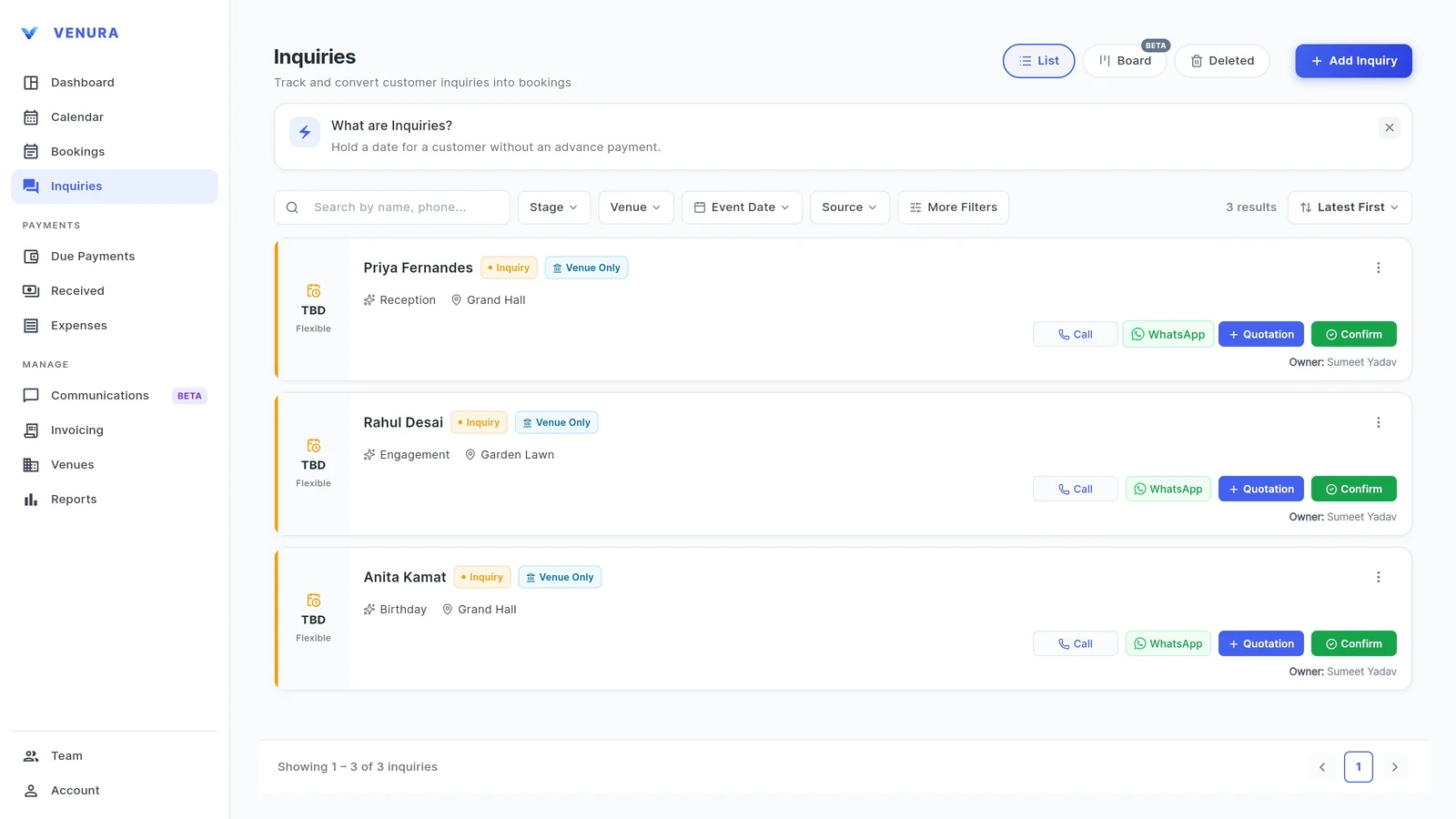
1Open the enquiry and tap Quotation
Go to Inquiries. Each enquiry card has a Quotation button next to Call, WhatsApp and Confirm.
Starting from the enquiry keeps the client's details and links the quotation to that enquiry.
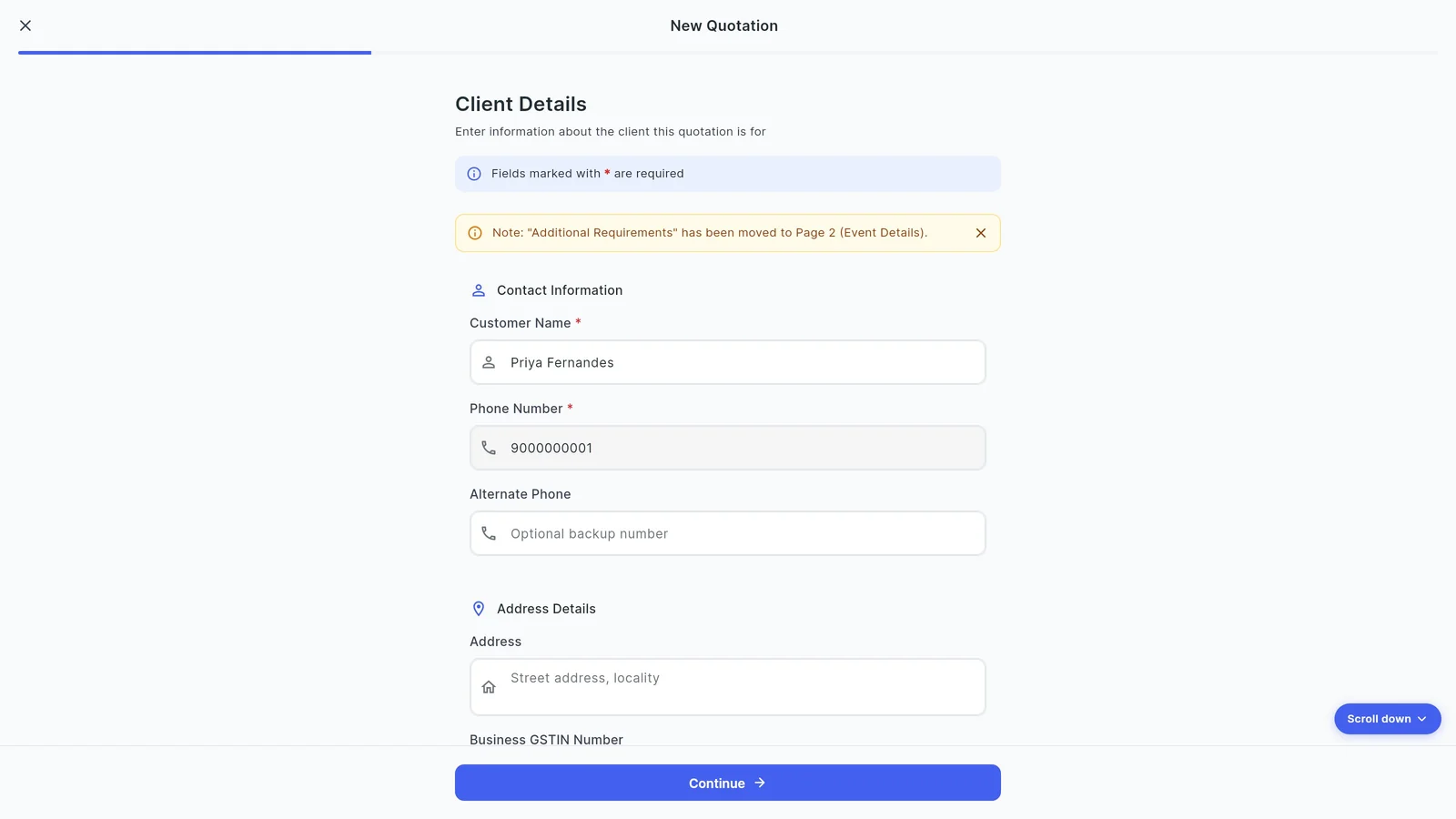
2Check the client details
The customer name and phone number come over from the enquiry. Add an alternate phone, address or the client's GSTIN if they need a business bill, then tap Continue.
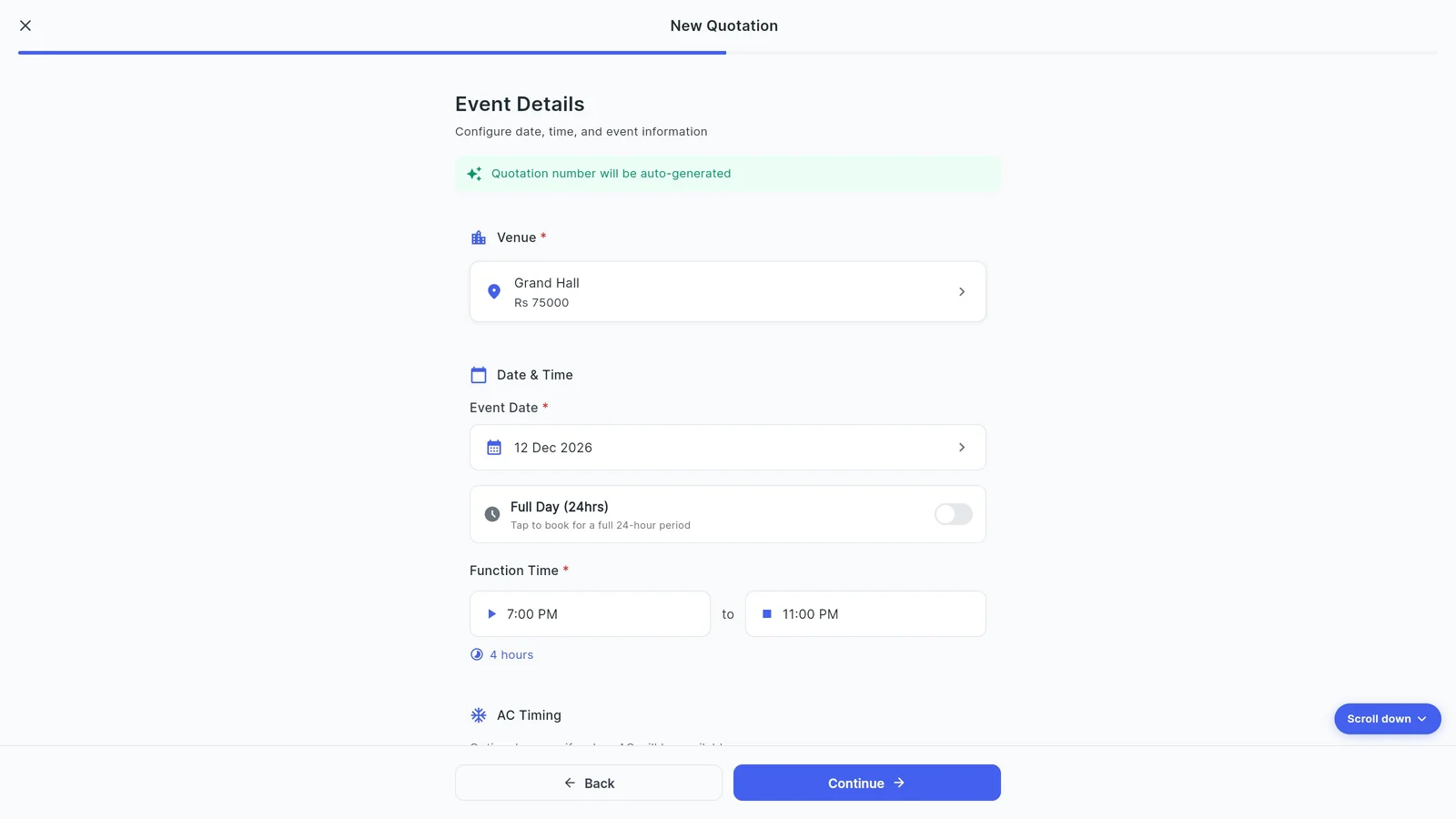
3Set the date, function time and guests
Pick the event date (or a start and end date for a multi-day event), then the function time. Venura shows the length, for example 4 hours. AC timing is optional.
Add the approximate guest count; it is printed on the quotation.
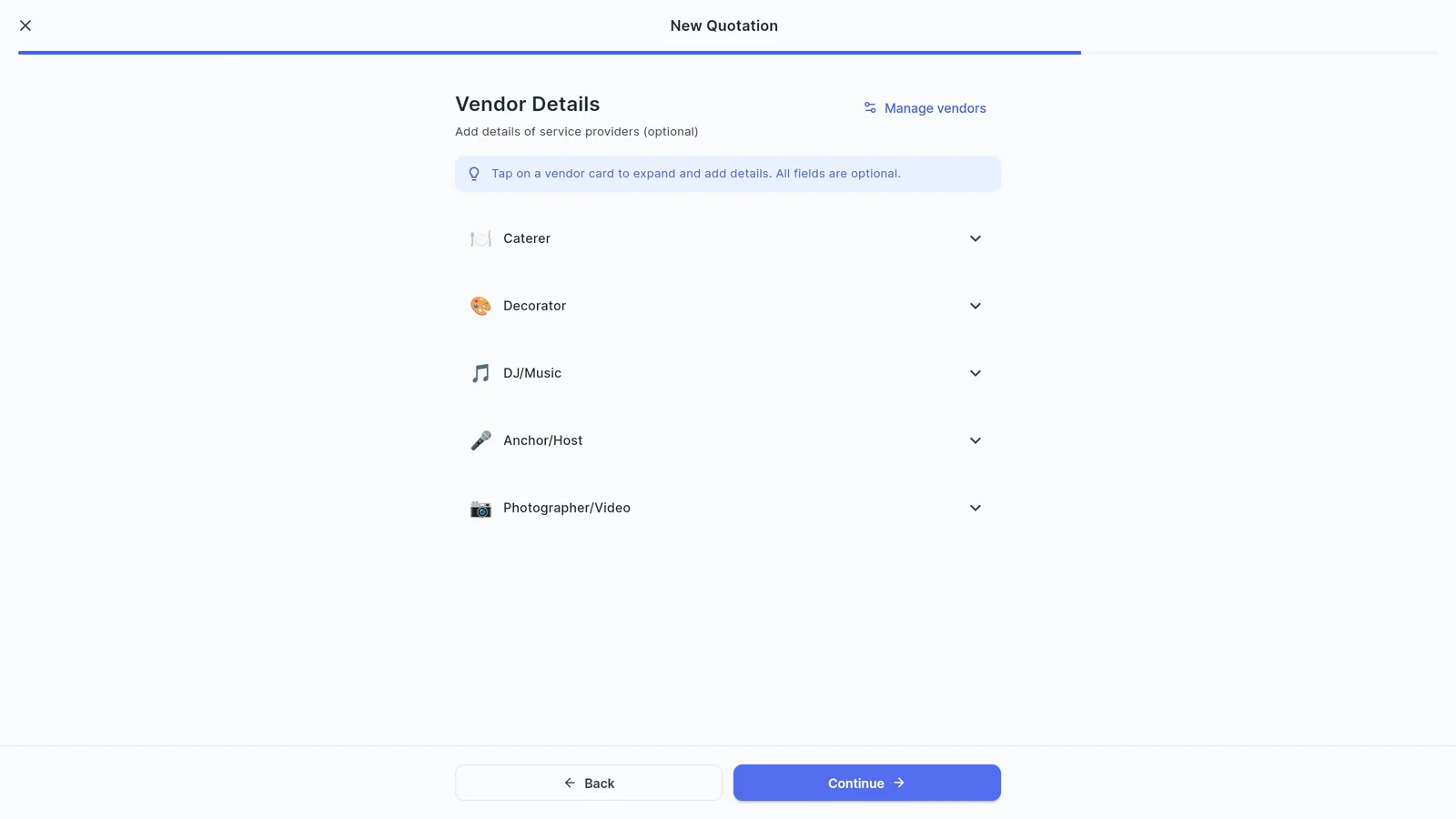
4Add vendors if you need them
Caterer, decorator, DJ, anchor and photographer details are optional. Skip the step if the quotation is for the hall only.
5Check the price and GST
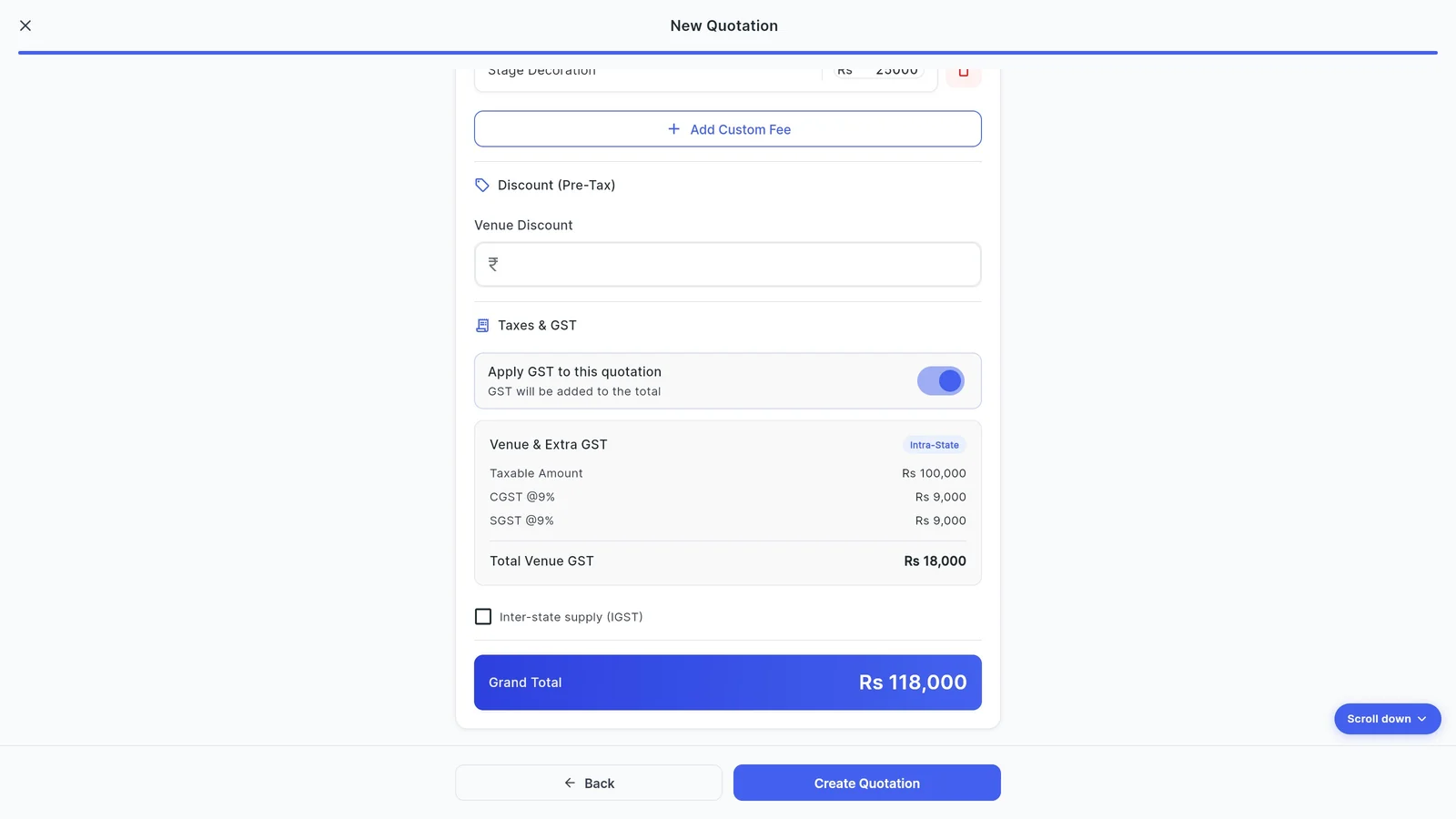
Hall rent fills in from your venue settings. Use Add Custom Fee for extras such as stage decoration, and enter a discount before tax if you give one.
With GST set up, Venura shows the taxable amount, CGST and SGST, and the grand total. Tick Inter-state supply for a client from another state to charge IGST instead. Then tap Create Quotation.
6Share the PDF on WhatsApp
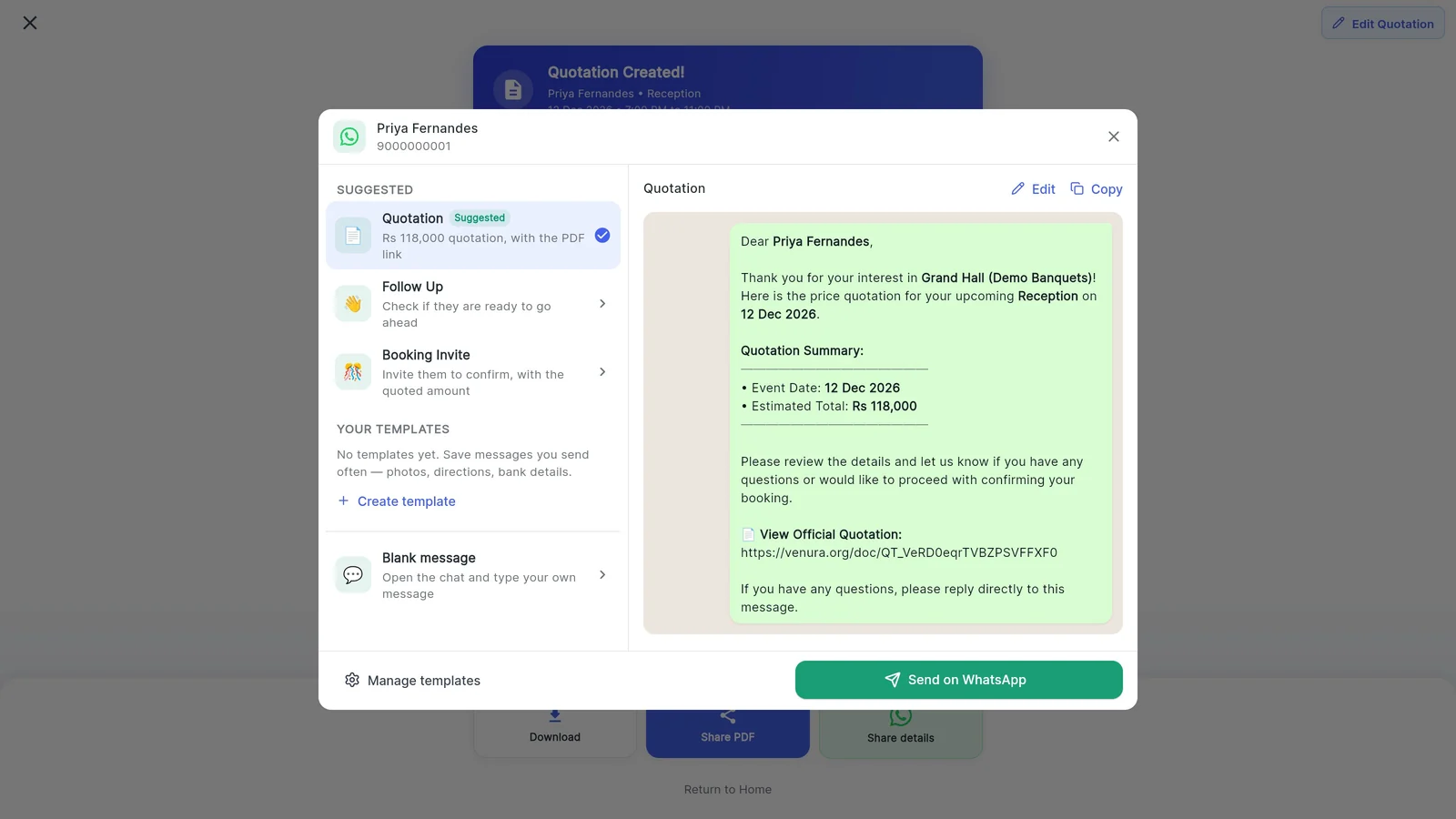
The quotation is numbered automatically (QT-00001, QT-00002 and so on) and shows your logo, address and GSTIN. Download it, share the PDF, or tap Share details.
Share details opens a WhatsApp message to the client with the date, the total and a link to the quotation. Follow Up and Booking Invite messages are ready in the same place for later.
7Turn it into the booking
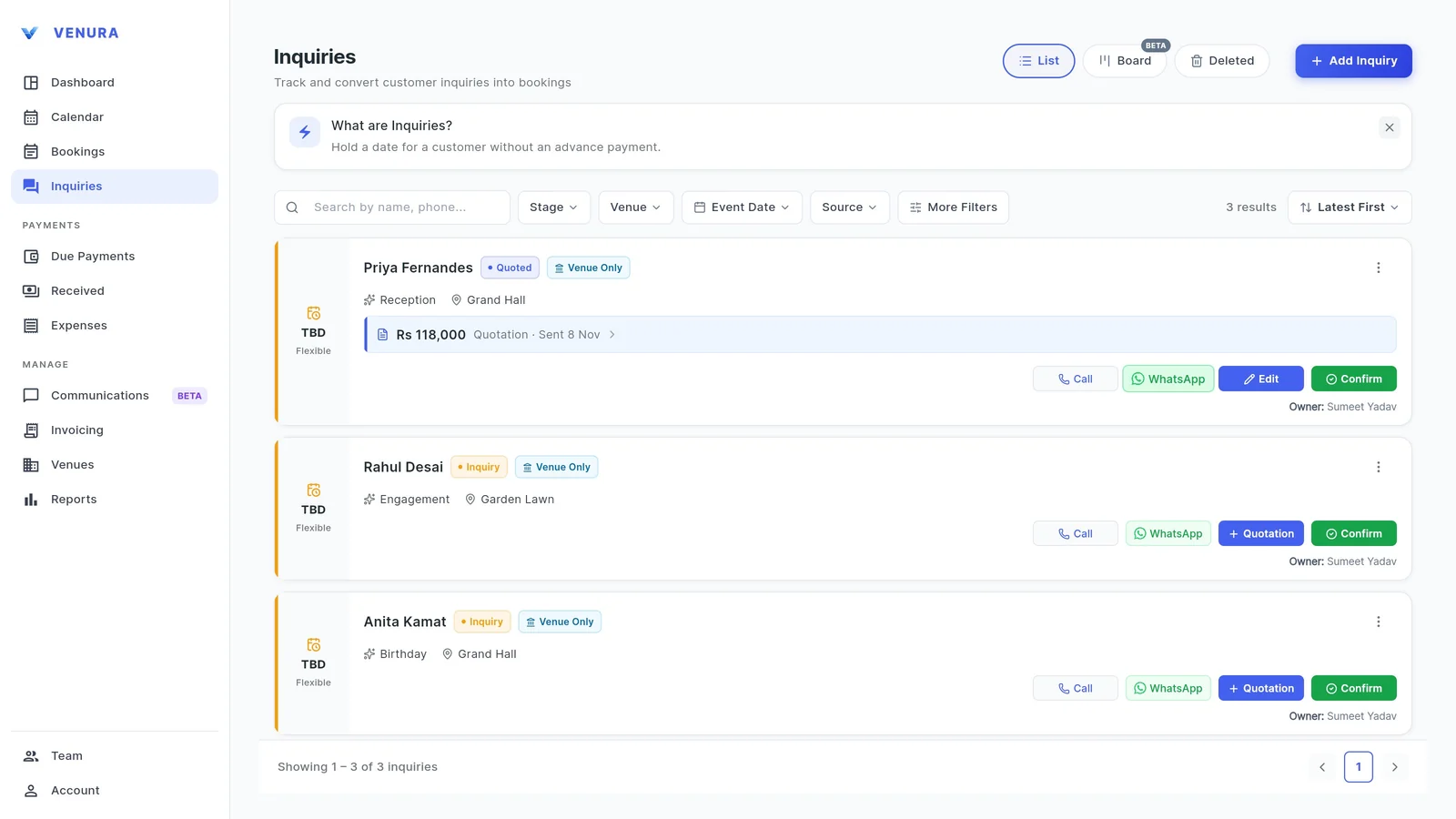
The enquiry now shows Quoted with the amount. When the client pays the advance, tap Confirm on the enquiry: the booking opens with the quotation's details and prices.
What a banquet hall quotation should include
Whether you use Venura or a template, a quotation the family can say yes to has these ten things. The second column shows where each one comes from in Venura.
| On the quotation | In Venura |
|---|---|
| Your venue's name, address, GSTIN and logo | Branding & Receipts and Tax Configuration, set once |
| A quotation number and date | Numbered automatically: QT-00001, QT-00002 and so on |
| The client's name and phone, and their GSTIN for a business bill | Carried over from the enquiry; GSTIN is optional |
| The occasion, event date, function time and hall | Event details step, with the length worked out |
| The expected guest count | Printed on the quotation as Guests |
| Hall rent and each extra on its own line | Hall rent from your venue settings; Add Custom Fee for extras |
| Any discount, shown before tax | Discount (Pre-Tax) field |
| GST: CGST and SGST for a client in your state, IGST for one from another state | Worked out from your GST rate; tick Inter-state supply for IGST |
| The grand total the client will pay | Shown on the pricing step and the PDF |
| Validity, the advance that confirms the date, and cancellation terms | Add your terms and conditions to the quotation |
Quotation, receipt or invoice: which one when?
- Quotation
- Before the booking: the price you offer for the date, hall and extras. No money has changed hands.
- Free quotation format →
- Advance receipt
- When the family pays the advance to confirm the date. GST is due on the advance received, so the receipt should show it.
- Free advance receipt format →
- Tax invoice
- For the event itself, with the final amounts and the GST split. Advances already taxed are adjusted against it.
- Free tax invoice format →
Good to know
- A quotation does not record a payment. Payments start once you confirm the booking.
- A quotation does not hold the date. The double-booking check looks at confirmed bookings, so confirm the booking to block the hall.
- Venura opens WhatsApp with the message ready; you press send in WhatsApp.
- Once a quotation has become a booking it can no longer be edited. Change the booking instead.
See a real Venura quotation, or start from a template
- PDFSample quotation made in Venura (PDF)The quotation from the video, downloaded from the app: Demo Banquets, QT-00001, hall rent, stage decoration, CGST and SGST.
- ExcelQuotation template with GST (Excel)A template for venues not using the app yet: line-wise GST, CGST/SGST or IGST switch and a validity date.
- WordQuotation letter template with terms (Word)A template for venues not using the app yet, with a term sheet and an acceptance block.
More free formats: Quotation format · Event management quotation format · Catering quotation format
Quotations on WhatsApp: common questions
What should a banquet hall quotation include?
Your venue's name, address and GSTIN; a quotation number and date; the client's details; the occasion, date, time and hall; the guest count; hall rent and each extra on its own line; any discount before tax; the GST split; the grand total; and the validity, advance and cancellation terms.
Do I charge GST on a quotation?
A quotation shows the GST the client will pay, but no tax is collected on it. GST becomes due when you receive an advance or issue the invoice, whichever comes first, so the advance receipt and the invoice carry the tax.
Can the quotation include GST?
Yes. Set your GSTIN, state code and GST rate once under Business Setup → Tax Configuration. Each quotation then shows the taxable amount and CGST and SGST, or IGST when you tick Inter-state supply.
Can I add my logo and terms to the quotation?
Yes. Add your logo and business address under Account → Branding & Receipts; the quotation PDF shows them with your business name and GSTIN. You can add your terms and conditions to the quotation too.
How are quotations numbered?
Automatically, in order: QT-00001, QT-00002 and so on. You don't have to track numbers yourself.
Does sending a quotation block the date?
No. Venura's double-booking check looks at confirmed bookings. Confirm the booking when the client pays the advance to block the hall.
Can I follow up with the client after sending the quotation?
Yes. The WhatsApp screen has a ready Follow Up message and a Booking Invite with the quoted amount, and you can save your own message templates.
Do I need Venura Pro for quotations?
Yes, quotations are a Pro feature. Every Pro feature is free for the 30-day trial, with no card needed.
Keep learning
More feature guides
- Record a booking advance and send the receipt on WhatsApp
- Make a GST invoice from a confirmed banquet booking
- Stop double bookings with a hall-by-hall booking calendar
- Track every banquet enquiry until it becomes a booking
- Export banquet bookings and payments to Tally
- Give staff only the access they need, and see who changed what
- Track event expenses and see your real profit
- Build catering menus and per-plate packages, and send the quote
- Give your venue its own website with live availability
Send your next quotation from Venura
Every Pro feature is free for 30 days. No card needed.
Ready to modernize your event business?
Explore the Venura ecosystem or speak with our team.