Feature guide · recorded in the Venura app
Export banquet bookings and payments to Tally
Pick a period and Venura makes one Tally XML file: a sales voucher for each booking with its GST, and a receipt voucher for each payment. Import it in TallyPrime or Tally.ERP 9.
- Pick a period
- Choose ledgers
- Download XML
- Import in Tally
Tally export is a Pro feature for venues in India, marked beta in the app. Every Pro feature is free for the 30-day trial.
By Sumeet Yadav · Co-Founder & CTO, Venura · checked in the app on 8 November 2026
Set these up once
GST
Your GSTIN, state and rate, so the vouchers carry Output CGST and SGST, or IGST.
Account → Business Setup → Tax Configuration
Your company name in Tally
Type it exactly as it appears in Tally, so the import goes to the right company.
Reports → Export → Export to Tally
Step by step
1Open Export to Tally
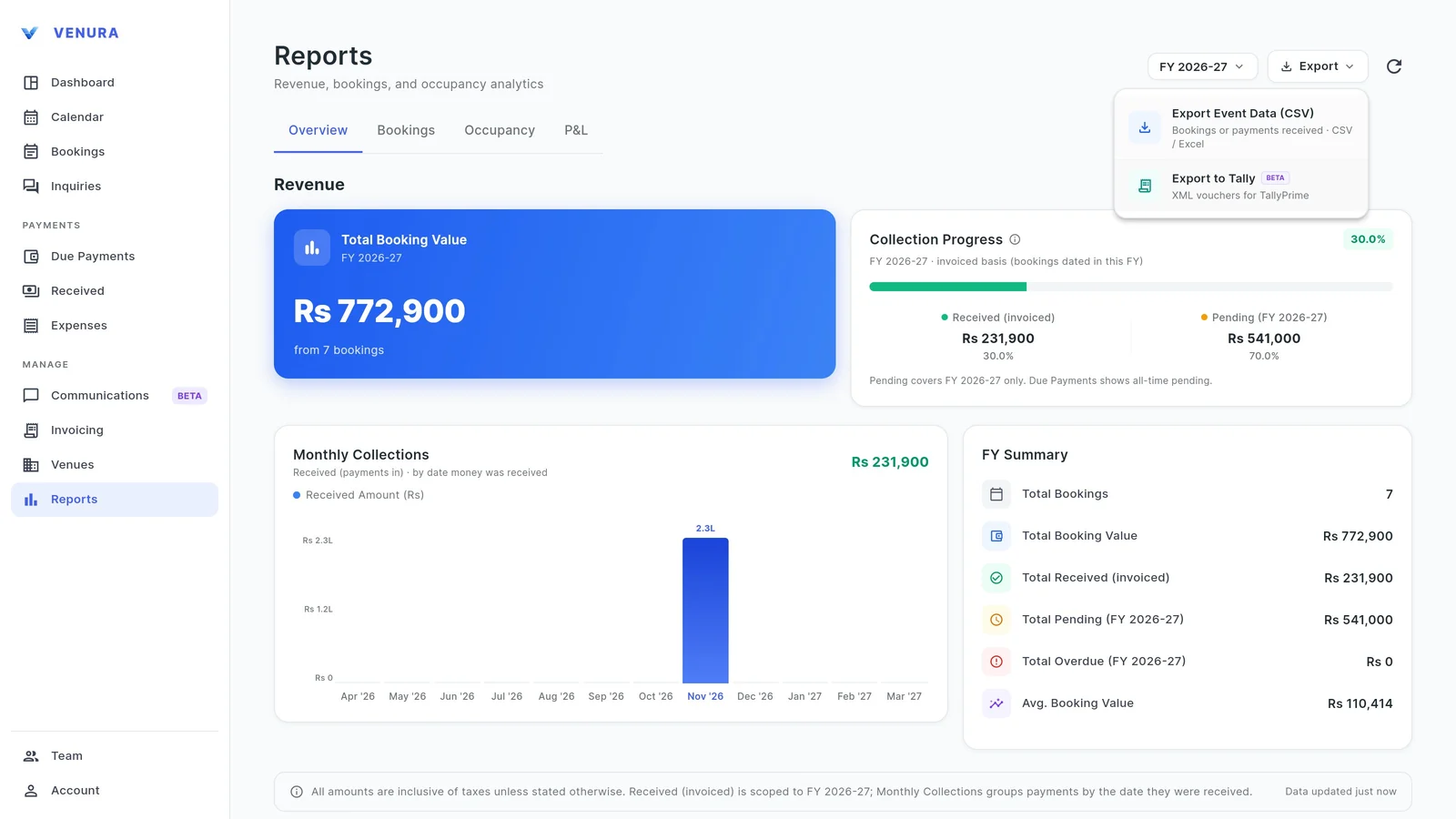
In Reports, open Export and choose Export to Tally.
2Pick the period, halls and status
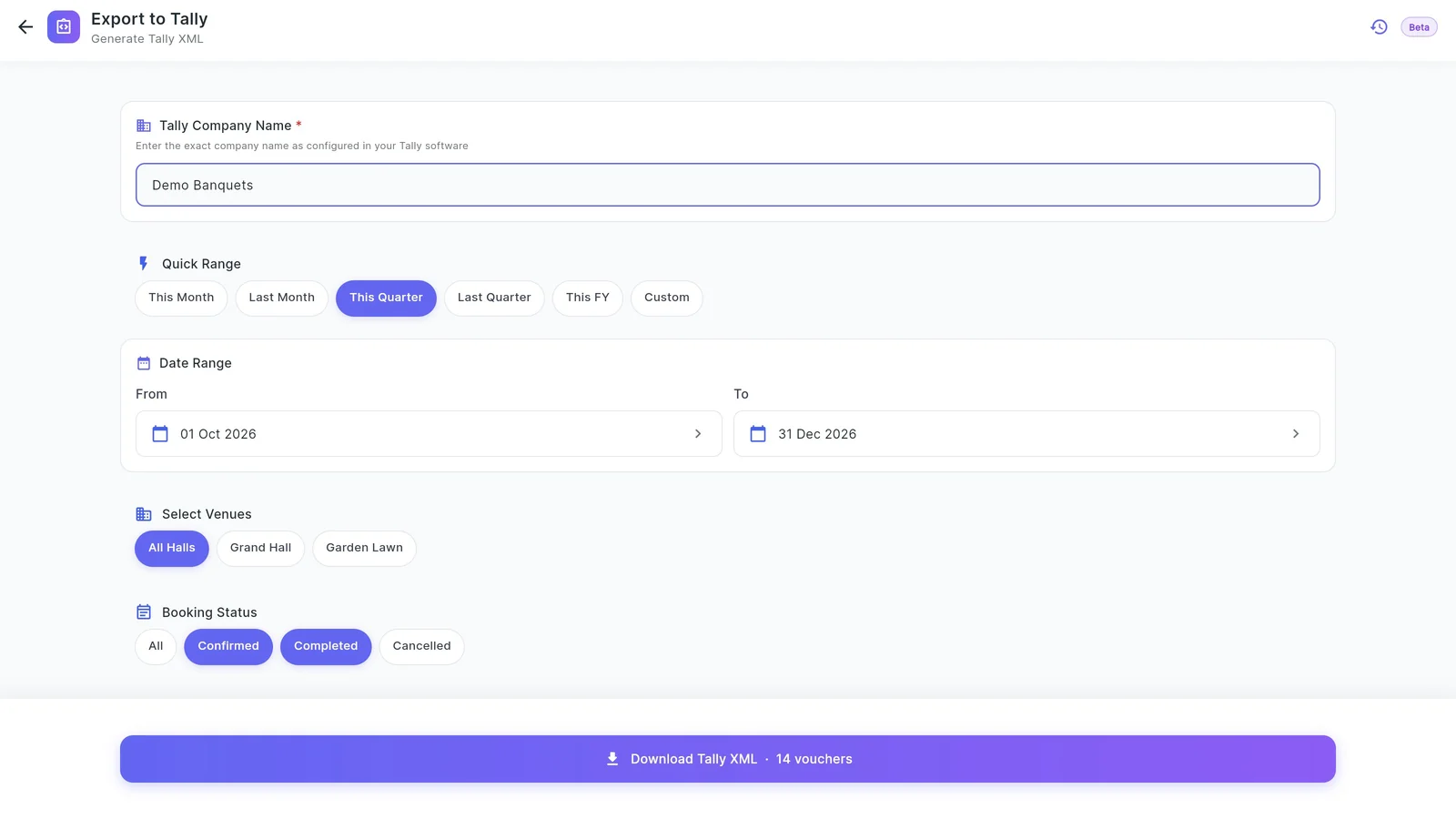
Enter your Tally company name, then a quick range (this month, last month, this quarter, last quarter, this financial year) or your own dates. Choose all halls or one, and which booking statuses to include.
3Choose how income is grouped
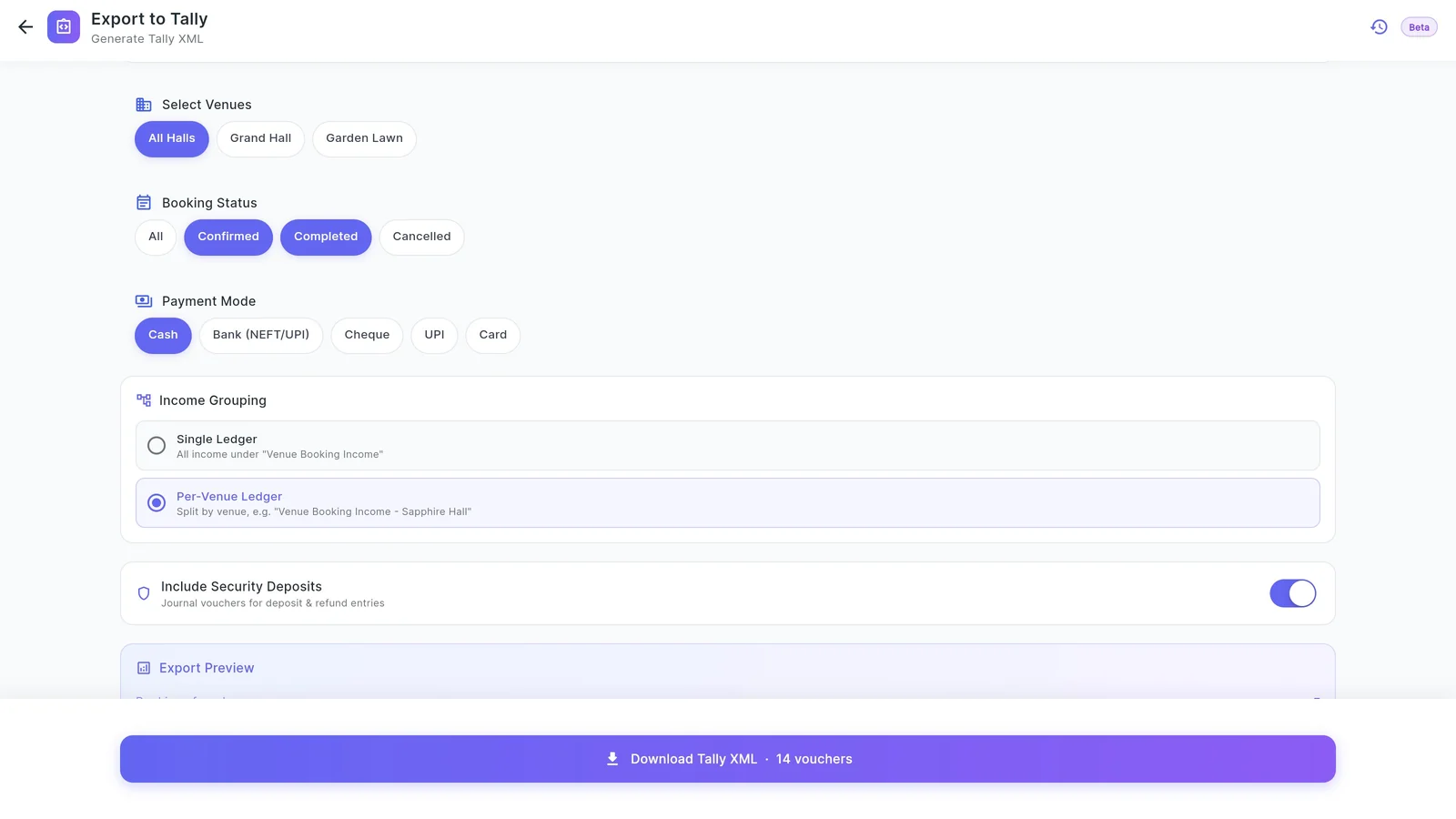
Put all income under one ledger, Venue Booking Income, or one ledger per hall. Turn on security deposits to add journal vouchers for deposits taken and returned. The preview counts the bookings, vouchers and new ledgers before you download.
4Download the XML
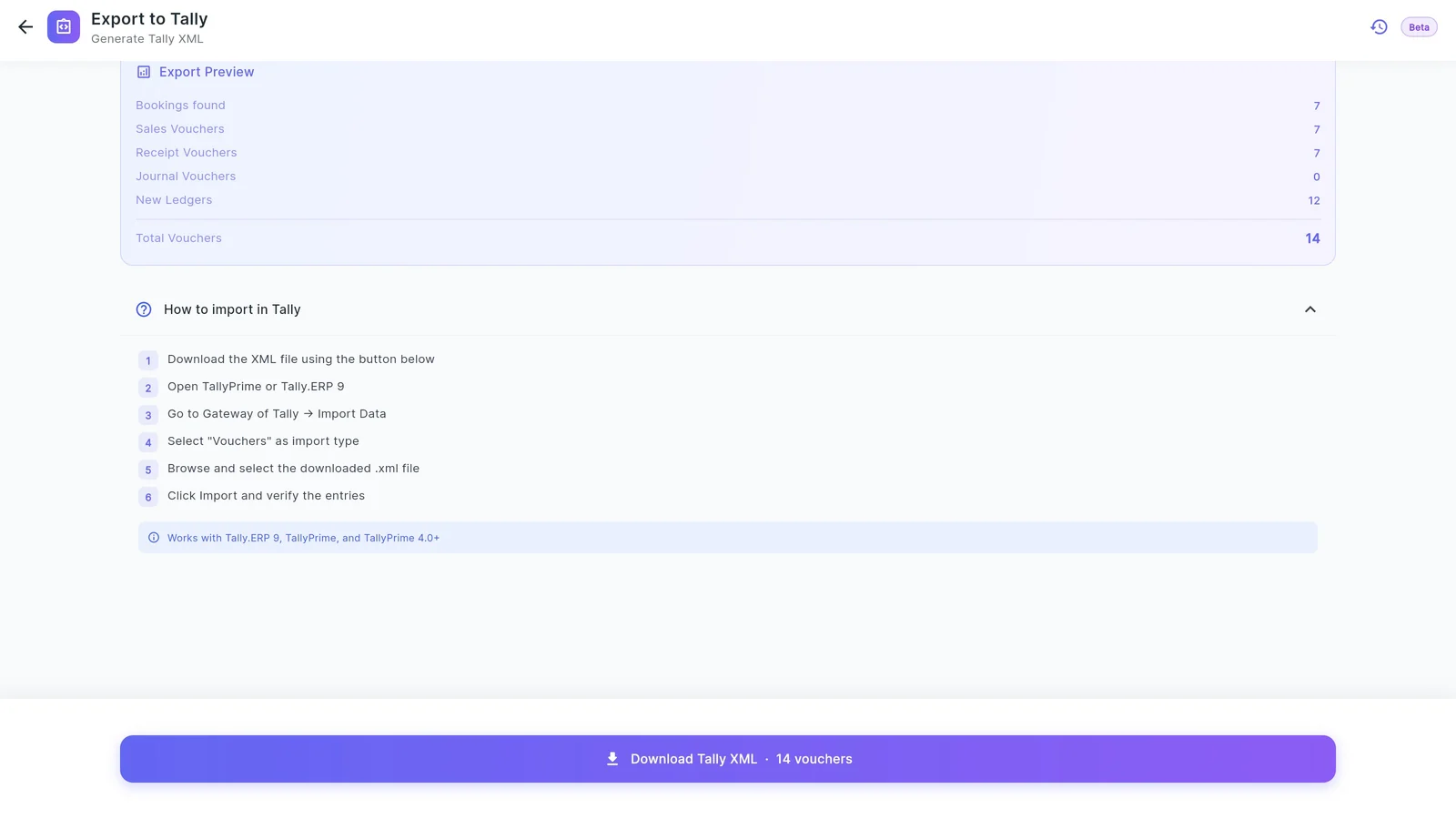
Tap Download Tally XML. Here the quarter gave 14 vouchers: 7 sales vouchers, one per booking, and 7 receipt vouchers for the advances. The export is saved in Export History, and the app warns you before exporting the same bookings twice.
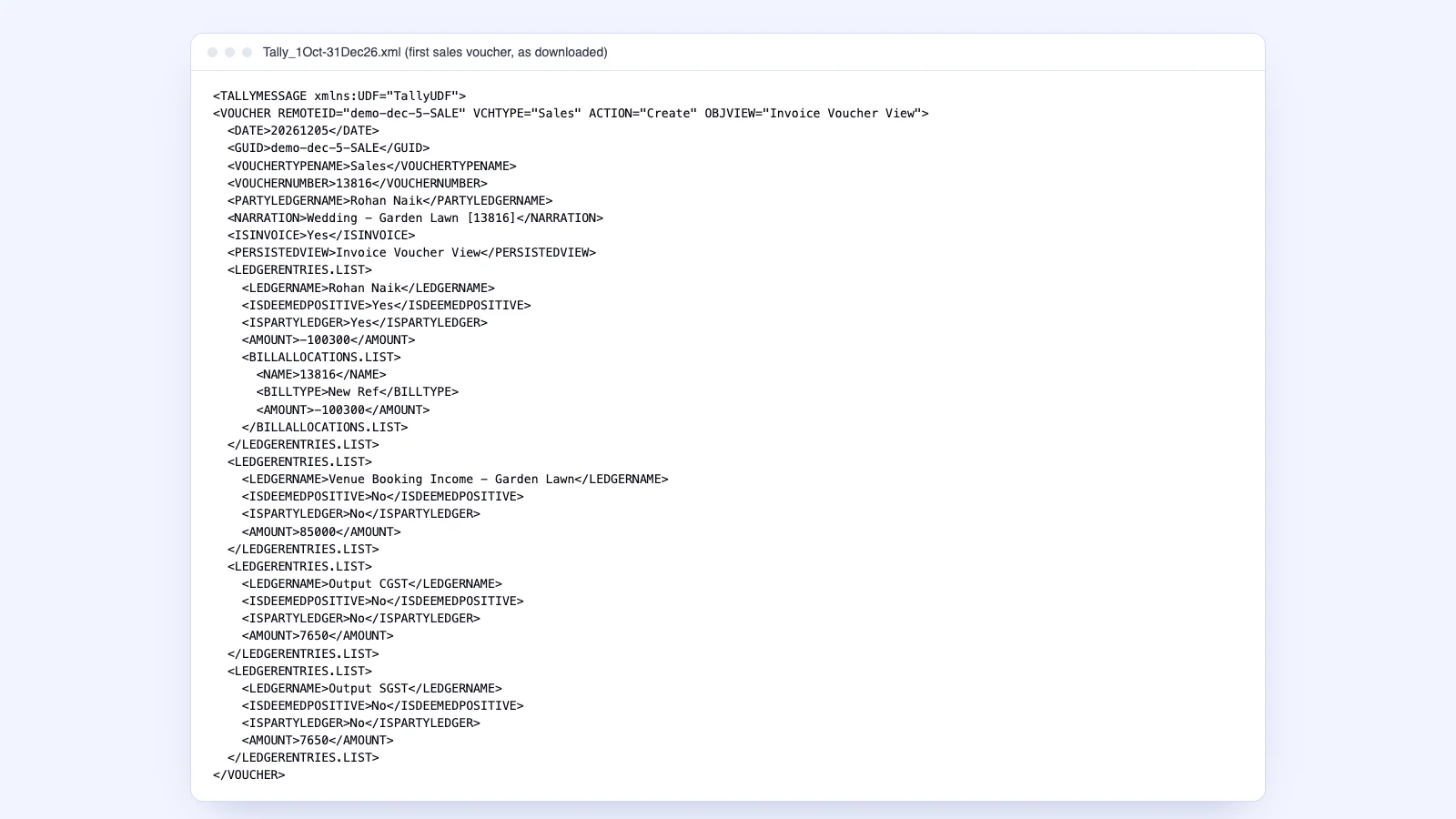
5What is inside
Each sales voucher is dated on the event date, numbered with the booking ID, and posts the client, the hall's income ledger and Output CGST and SGST. Import it in Tally from Gateway of Tally → Import Data → Vouchers.
Before you import into Tally
A few checks save your accountant a cleanup later.
| On the Tally export | In Venura |
|---|---|
| Company name matches Tally exactly | Tally Company Name field |
| The period is closed | Quick ranges or your own dates |
| Income split the way your accountant wants | Single ledger or one per hall |
| GST ledgers exist or are created | Output CGST, SGST and IGST under Duties & Taxes |
| Nothing exported twice | Export History and an Already Exported warning |
Tally export, CSV or invoices?
- Tally XML
- For your accountant: vouchers that import straight into TallyPrime or Tally.ERP 9.
- Free tally xml format →
Good to know
- The export is a file you import; Venura does not connect to Tally directly.
- Vouchers are built from bookings and payments, not from the invoices in Invoicing.
- It is for venues in India only, and marked beta in the app.
See a real Venura Tally export, or start from a template
More free formats: Tally export for banquet billing
Tally export: common questions
Which Tally versions does it work with?
Tally.ERP 9, TallyPrime and TallyPrime 4.0 and later, through Import Data → Vouchers.
What vouchers are in the file?
A sales voucher for each booking with its GST, a receipt voucher for each payment, and journal vouchers for security deposits if you turn them on.
Does it create the ledgers?
Yes. The file carries the client ledgers, the income ledger or one per hall, Output CGST, SGST and IGST, and Cash or Bank Account.
Can I export one hall only?
Yes. Pick the hall under Select Venues.
What if I export the same period twice?
The app warns you that those bookings were already exported, and Export History lists past exports.
Keep learning
More feature guides
- Make a banquet quotation and send it on WhatsApp
- Record a booking advance and send the receipt on WhatsApp
- Make a GST invoice from a confirmed banquet booking
- Stop double bookings with a hall-by-hall booking calendar
- Track every banquet enquiry until it becomes a booking
- Give staff only the access they need, and see who changed what
- Track event expenses and see your real profit
- Build catering menus and per-plate packages, and send the quote
- Give your venue its own website with live availability
Answers for venue owners
All answersHand your accountant clean Tally data
Every Pro feature is free for 30 days. No card needed.
Ready to modernize your event business?
Explore the Venura ecosystem or speak with our team.