Feature guide · recorded in the Venura app
Track every banquet enquiry until it becomes a booking
Log each call, walk-in or Instagram message as an enquiry with its source, set a follow-up, move it through the stages, and confirm it as a booking when the family says yes.
- New enquiry
- Follow-up
- Quoted / In Progress
- Booking won
Enquiries are in every plan. Quotations and reports are Pro features, free for the 30-day trial.
By Sumeet Yadav · Co-Founder & CTO, Venura · checked in the app on 8 November 2026
Set these up once
Your booking sources
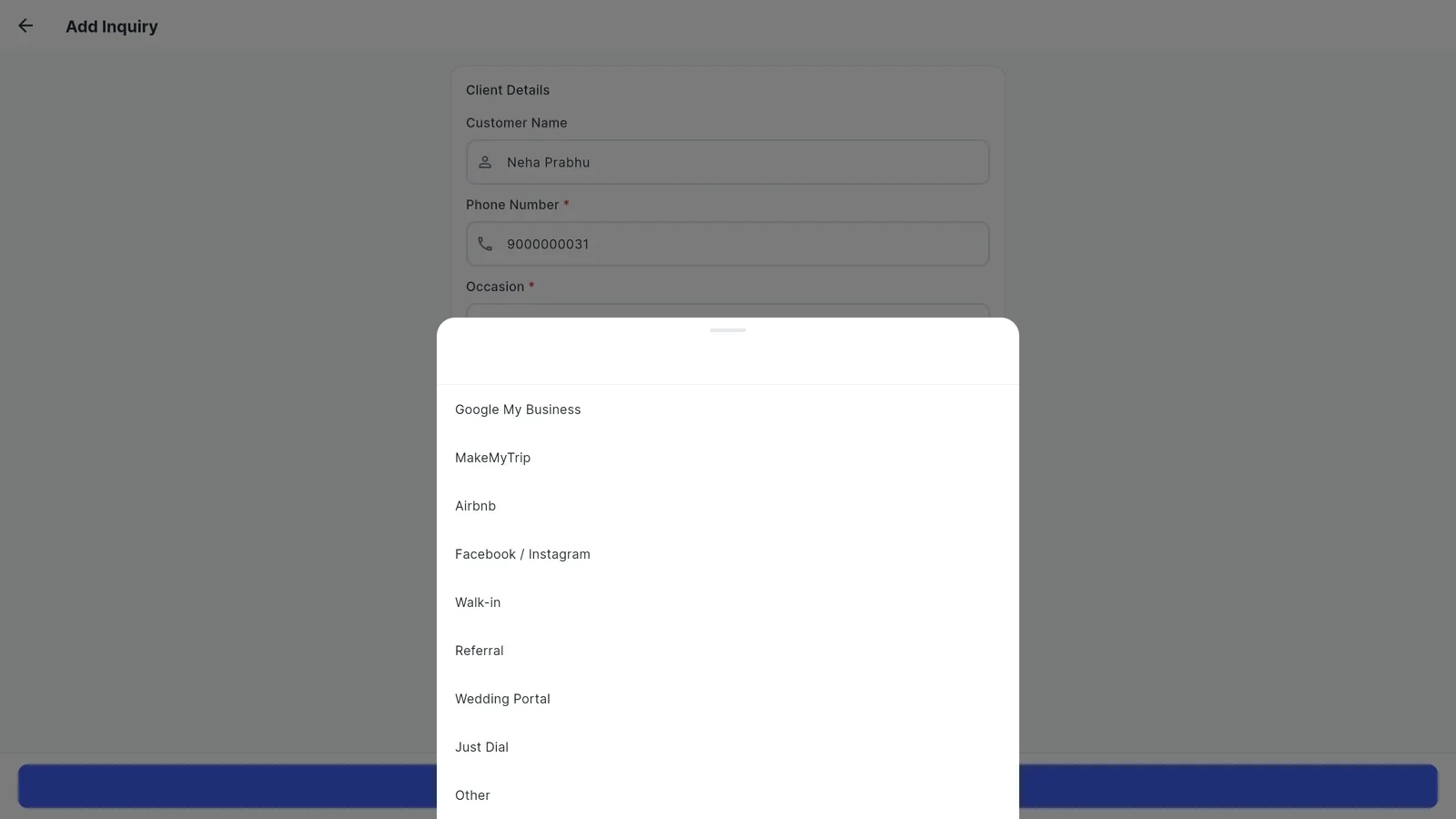
Starts with Google My Business, Facebook / Instagram, Walk-in, Referral, Wedding Portal, Just Dial and more. Add or remove your own.
Inquiries → Add Inquiry → Manage sources
Your halls
So each enquiry can note which hall or lawn the family asked about.
Account → Business Setup → Venue Settings
Your team
Staff who take enquiries see the same list, and each enquiry shows its owner.
Team
Step by step
1Open Inquiries
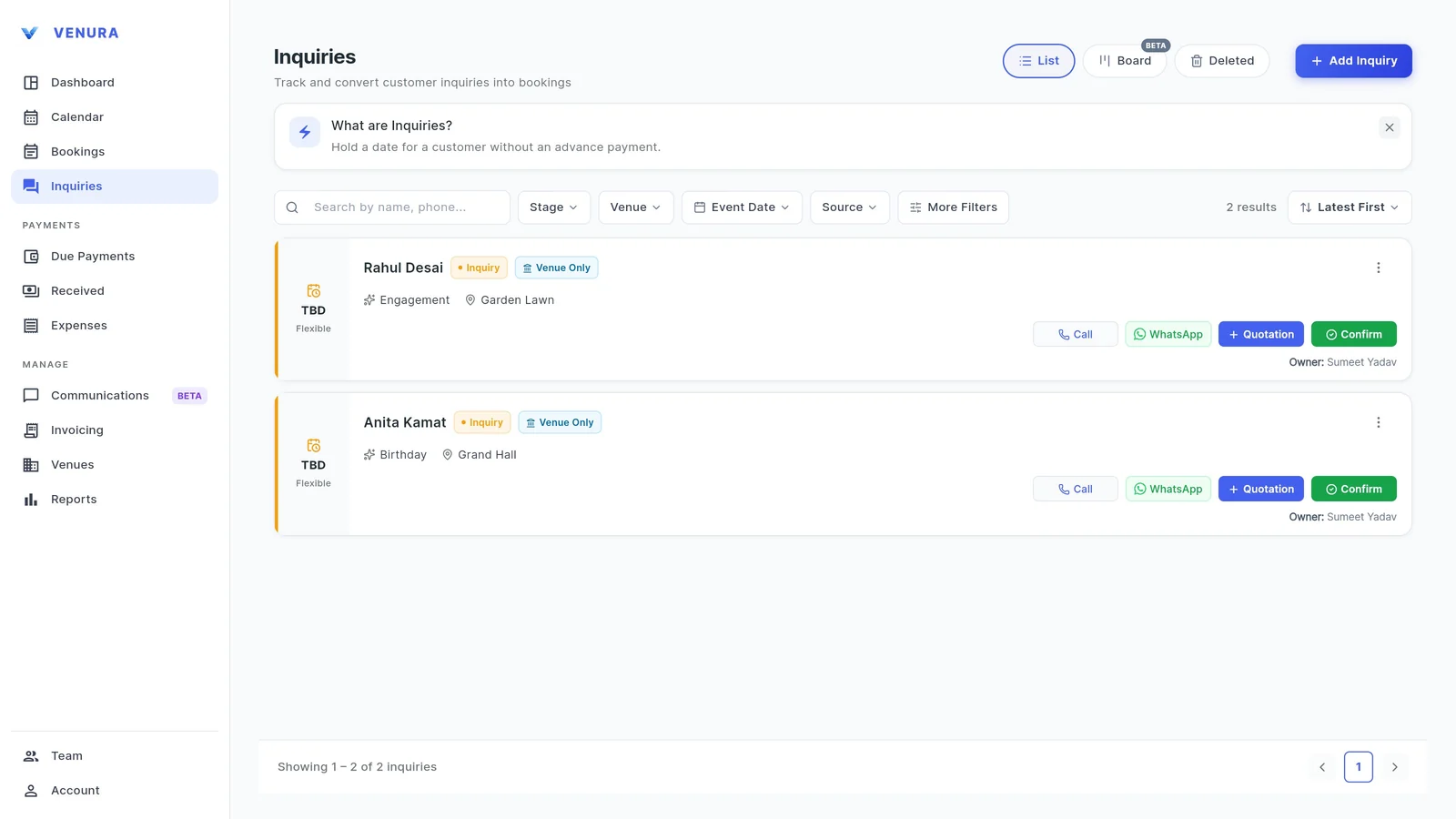
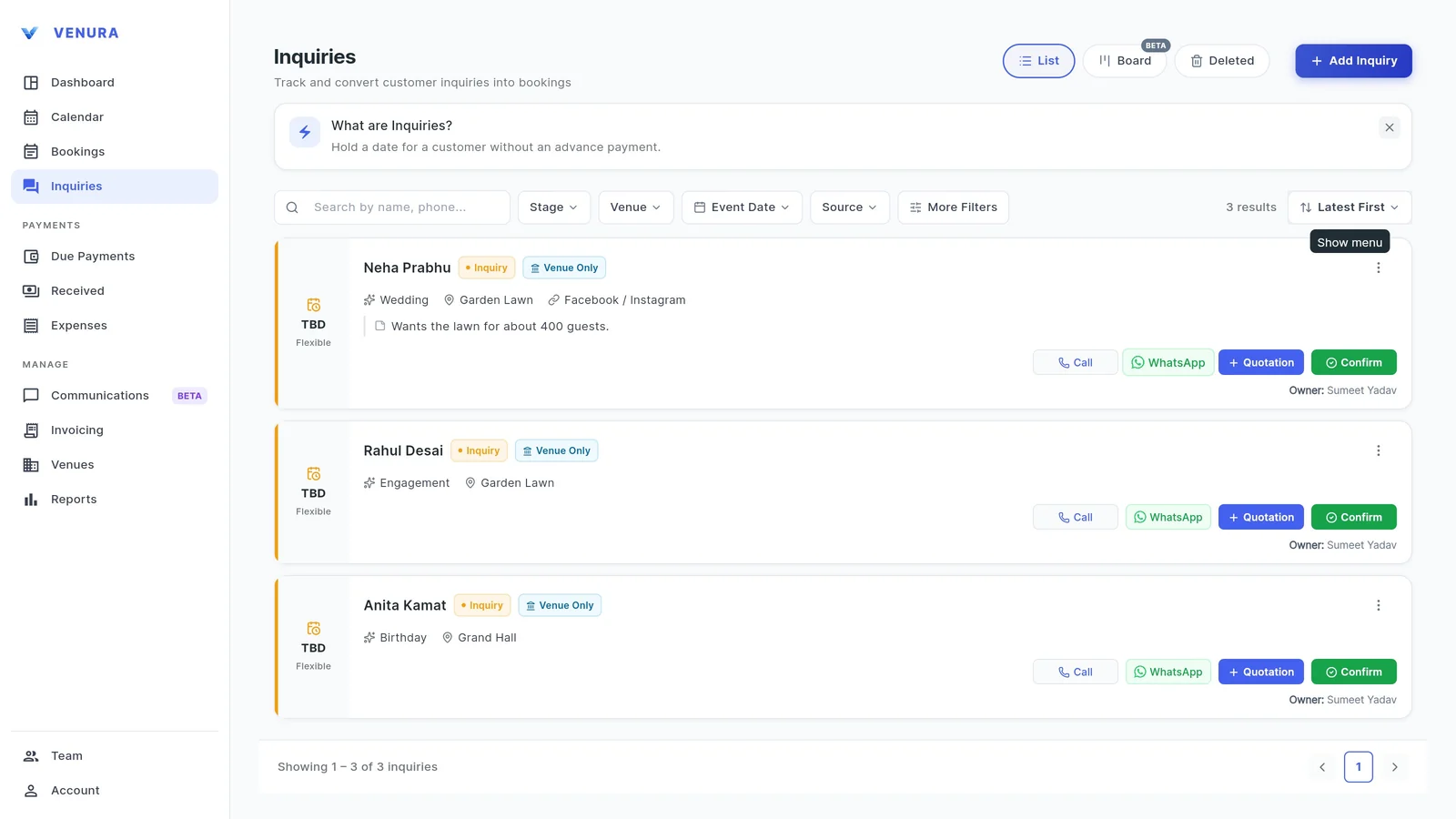
Every open enquiry is listed with its stage, occasion, hall and date, with Call, WhatsApp, Quotation and Confirm buttons on each.
2Add the enquiry and its source
Tap Add Inquiry. Only the phone number and occasion are required. Pick the Booking Source so you know which channel brought the family in.
3Note the hall and what they want
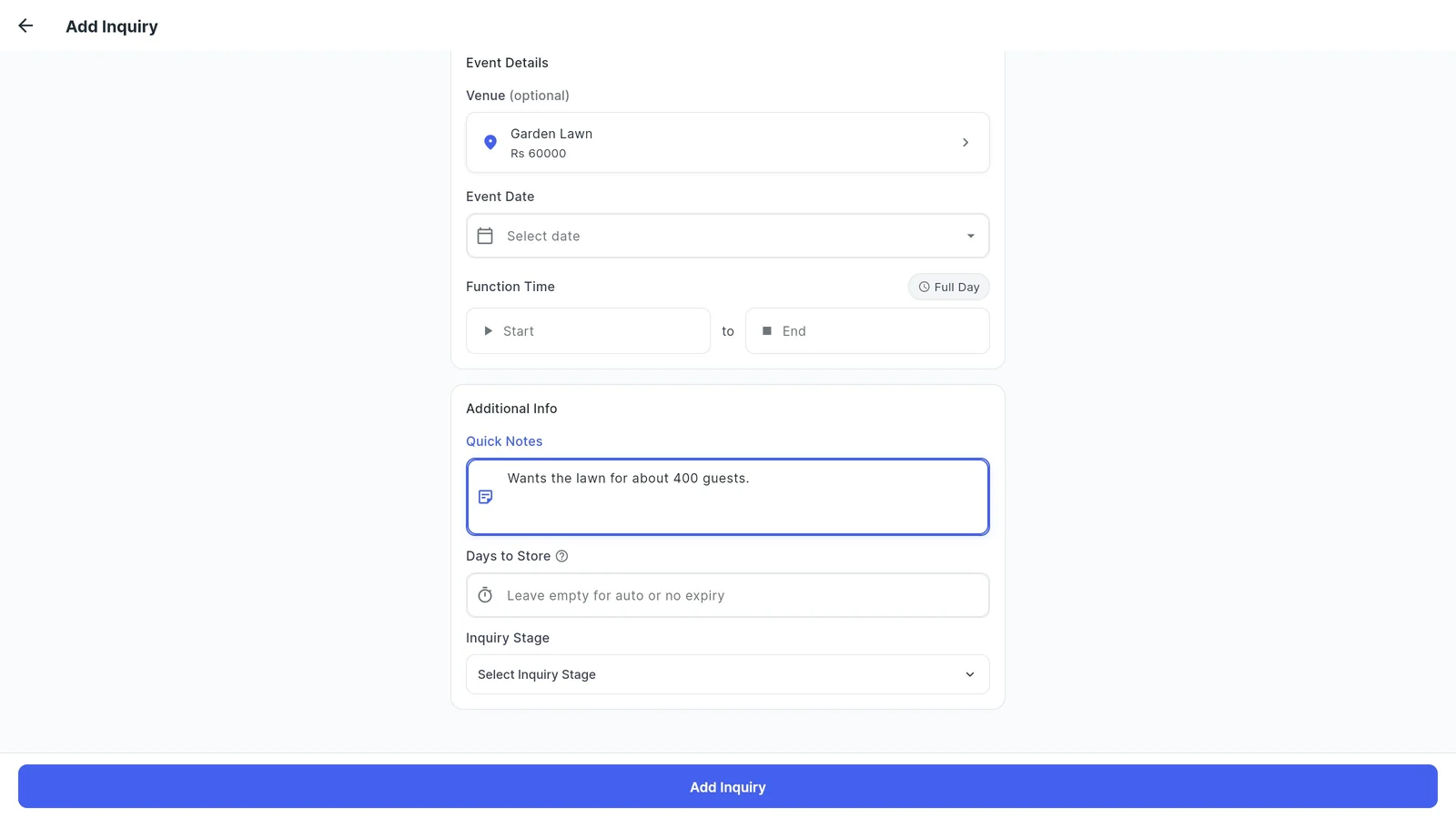
Add the hall they asked about, the date if they have one, and a quick note such as the guest count or budget. Days to Store sets when an old enquiry is cleared; left empty, it expires after the event date.
4Everything on one card
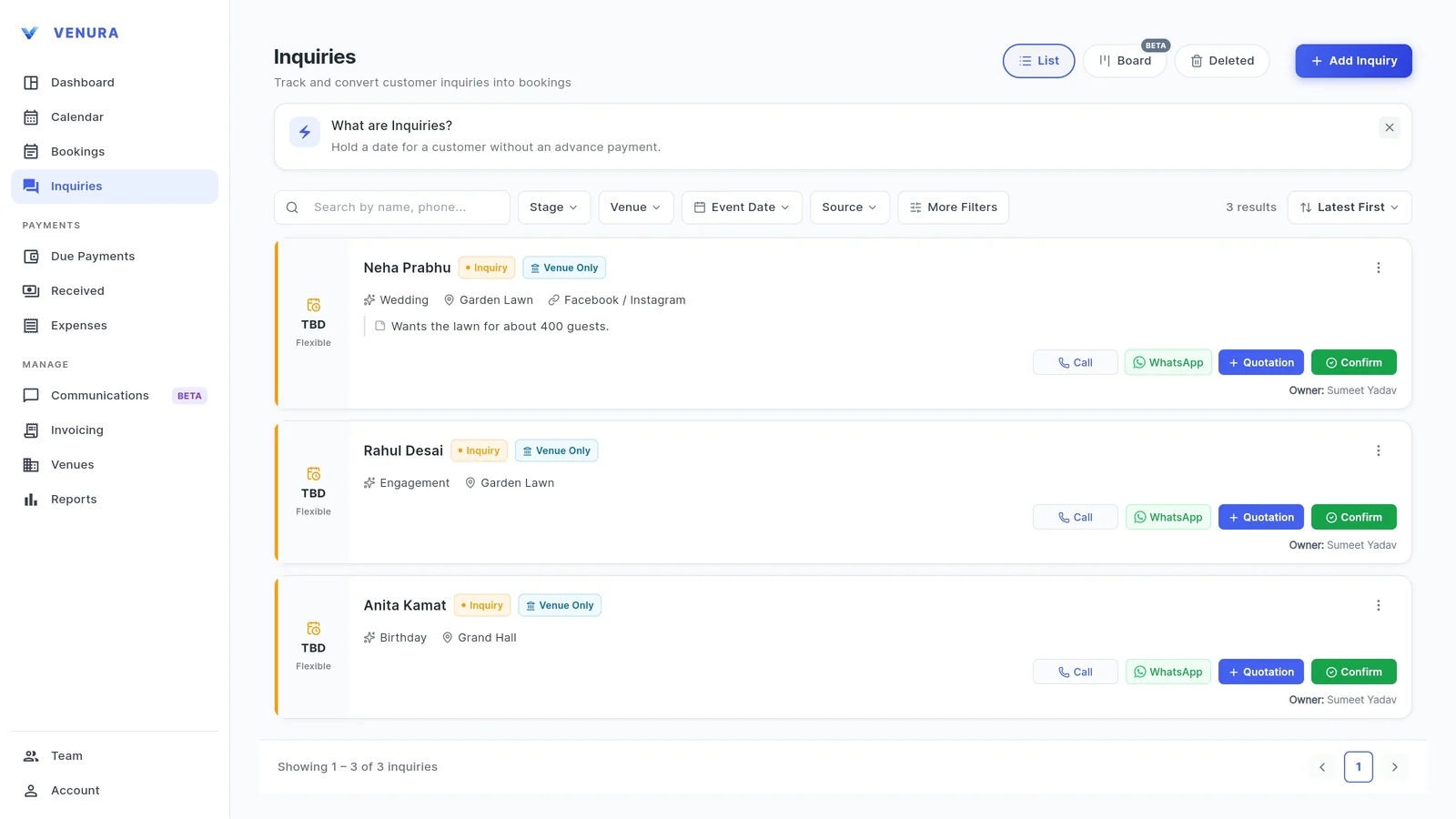
The enquiry shows the occasion, hall, source and your note, so whoever picks up the phone next has the full picture.
5See the pipeline on the board
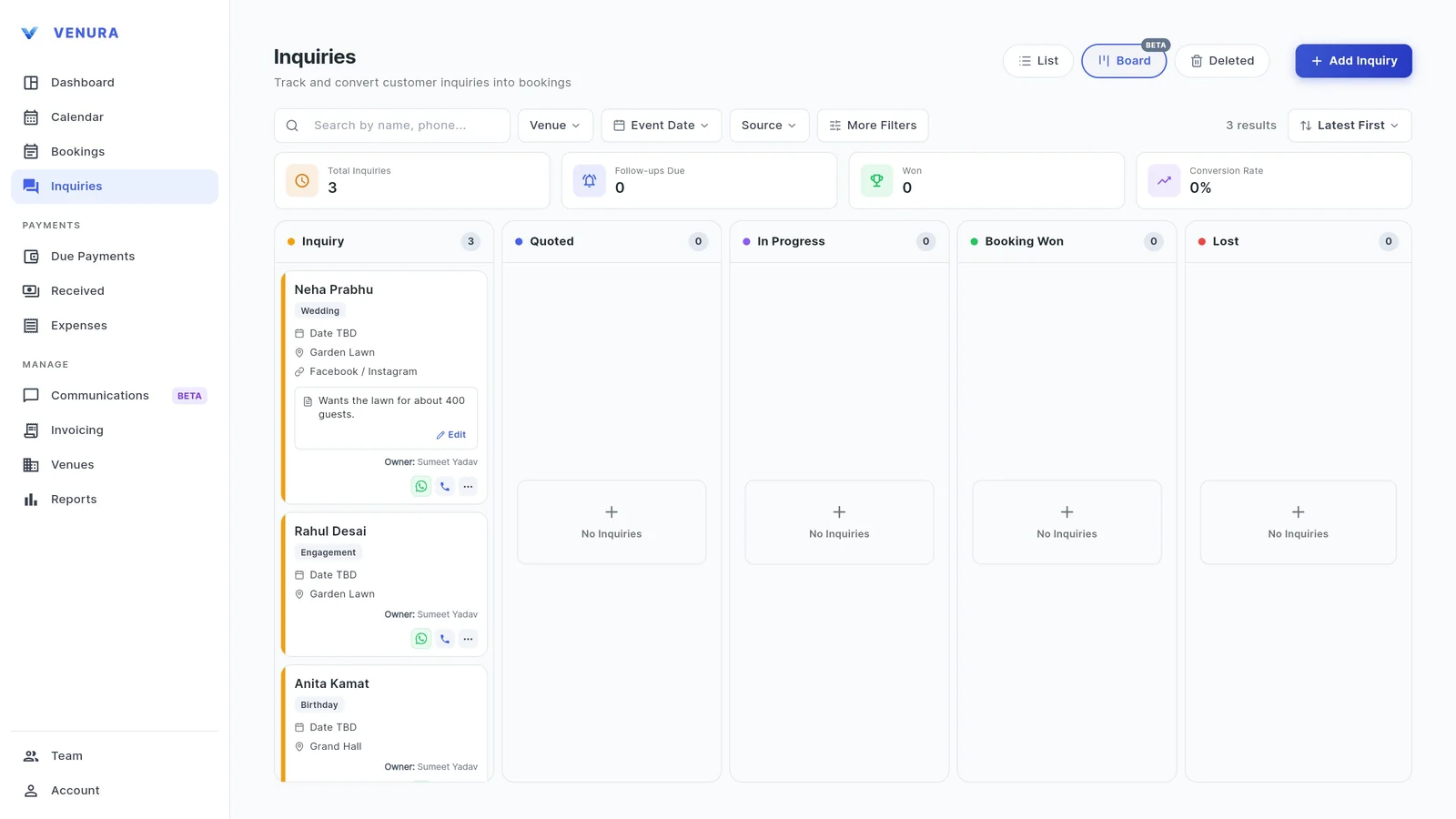
Board view puts enquiries in columns: Inquiry, Quoted, In Progress, Booking Won and Lost. The top row shows total enquiries, follow-ups due today, bookings won and your conversion rate.
6Set a follow-up
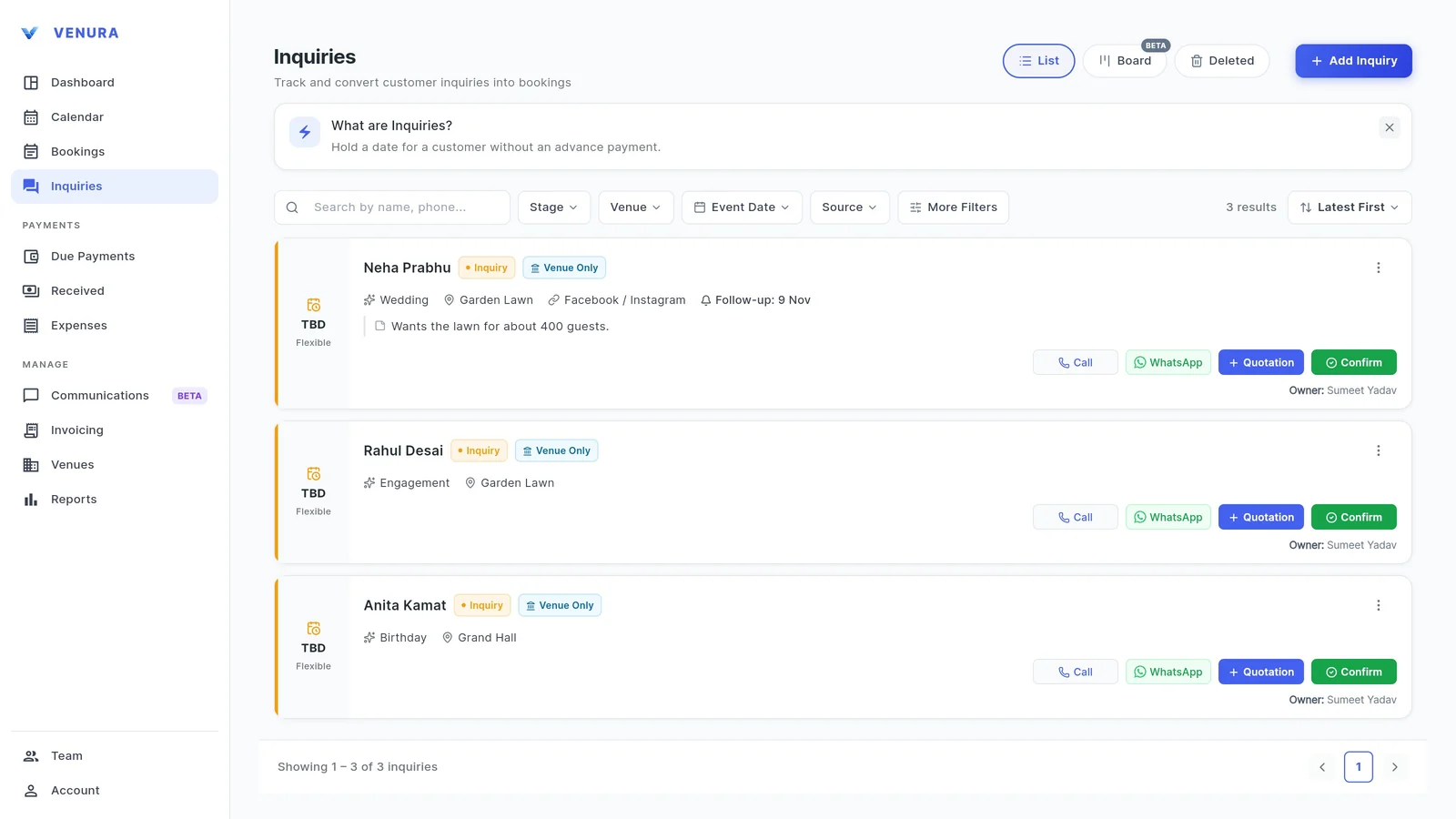
From the enquiry's menu, Set Follow-up: Today, Tomorrow, In 3 Days, Next Week or a custom date. The date shows on the card.
7Move it through the stages
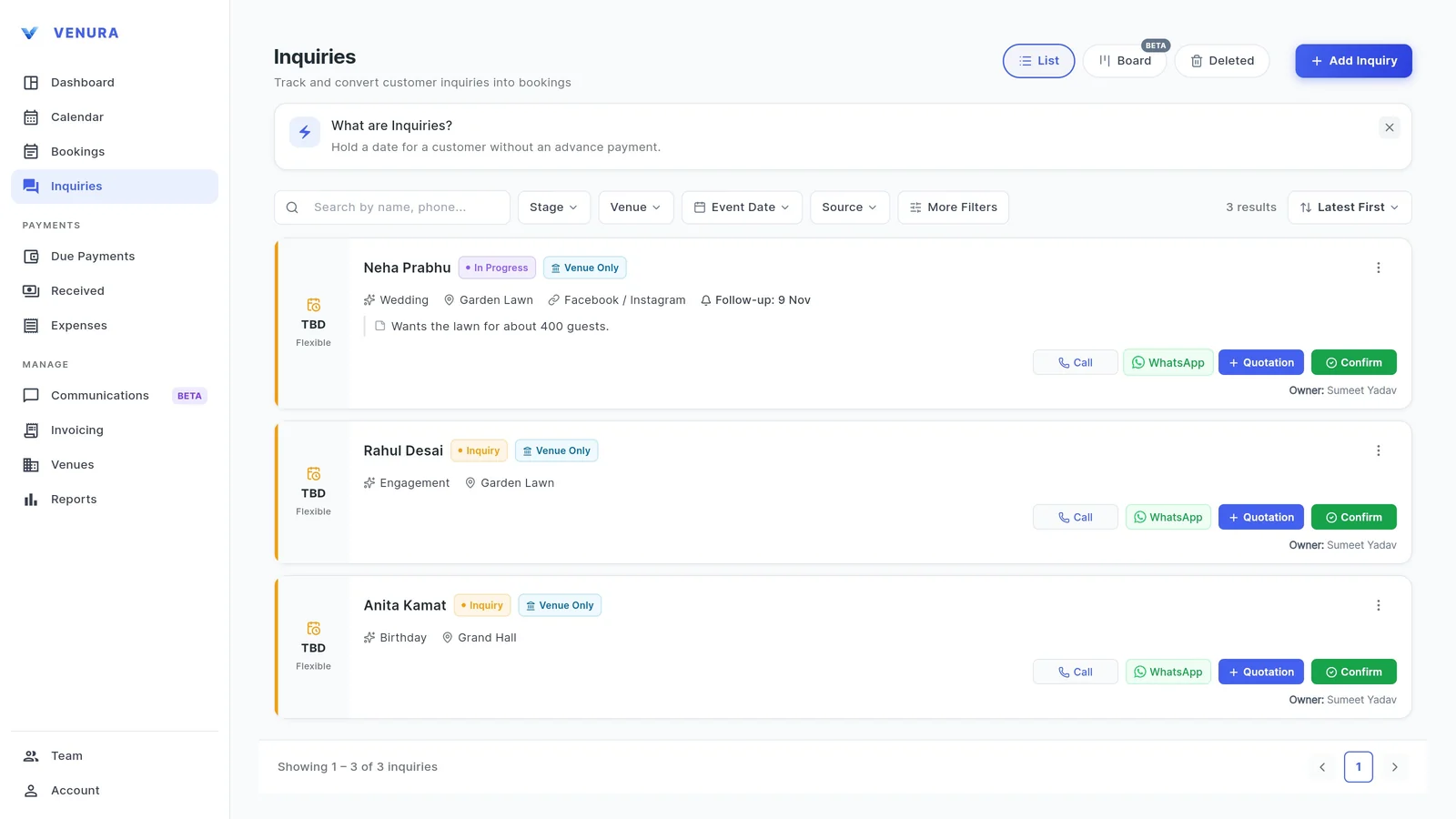
Tap the stage to change it. Sending a quotation moves an enquiry to Quoted on its own. When the family says yes, tap Confirm and the booking opens with their details filled in.
8Filter by source
Filter the list by stage, hall, event date or source to see where your enquiries come from.
What to note for every banquet enquiry
A good enquiry record means anyone on your team can follow up. The second column shows where each goes in Venura.
| On the enquiry | In Venura |
|---|---|
| Name and phone number | Customer Name and Phone Number |
| Occasion | Wedding, Reception, Engagement, Birthday and more, or type your own |
| Where they heard of you | Booking Source |
| Hall, date and time they want | Venue, Event Date and Function Time, all optional |
| Guest count, budget, special asks | Quick Notes |
| When to call back | Set Follow-up |
| Where the conversation stands | Stage: Inquiry, Quoted, In Progress, Booking Won or Lost |
Enquiry, quotation or booking?
- Booking
- They said yes, usually with an advance. Now the hall and time are blocked.
- Free booking format →
Good to know
- An enquiry does not block the hall. Only a confirmed booking does.
- Follow-up dates show on the enquiry and in the Follow-ups Due count; they are not sent as phone notifications.
- The Board view is marked beta in the app.
More free formats: Free enquiry pipeline tracker · Handling walk-in enquiries
Enquiries, follow-ups and booking sources: common questions
What do I need to add an enquiry?
Only the phone number and occasion. Name, source, hall, date, time and notes are optional and can be added later.
Can I see where my enquiries come from?
Yes. Pick a Booking Source on each enquiry and filter the list by source. The source carries over when the enquiry becomes a booking, and Reports (Pro) break bookings down by source.
Can I change the list of sources?
Yes. Tap Manage sources to add or remove sources.
Does an enquiry hold the date?
An enquiry with a date shows on your calendar, but it does not block the hall. Only a confirmed booking does.
How do I turn an enquiry into a booking?
Tap Confirm on the enquiry. The booking opens with the client, occasion and hall filled in, and with the prices if you had sent a quotation.
What happens to old enquiries?
You choose with Days to Store. If you leave it empty, an enquiry with a date expires after that date; one without a date stays until you delete it.
Keep learning
More feature guides
- Make a banquet quotation and send it on WhatsApp
- Record a booking advance and send the receipt on WhatsApp
- Make a GST invoice from a confirmed banquet booking
- Stop double bookings with a hall-by-hall booking calendar
- Export banquet bookings and payments to Tally
- Give staff only the access they need, and see who changed what
- Track event expenses and see your real profit
- Build catering menus and per-plate packages, and send the quote
- Give your venue its own website with live availability
Never lose an enquiry again
Every Pro feature is free for 30 days. No card needed.
Ready to modernize your event business?
Explore the Venura ecosystem or speak with our team.