Feature guide · recorded in the Venura app
Track event expenses and see your real profit
Log what each event costs you, such as extra staff or a decorator, and your running costs like the electricity bill. The P&L report puts revenue and expenses together to show your net profit and margin.
- Booking expense
- General expense
- Expense list
- P&L report
Expenses are in every plan. Reports, including the P&L, are a Pro feature, free for the 30-day trial.
By Sumeet Yadav · Co-Founder & CTO, Venura · checked in the app on 8 November 2026
Set these up once
Expense categories
Starts with Food & Beverage (F&B), Staff & Salaries and Maintenance. Add your own, such as decoration or diesel.
Account → Expense Categories
Step by step
1Add a booking expense
In Expenses, choose Add Booking Expense, pick the booking, then enter what it was for, the category, the amount and the date.
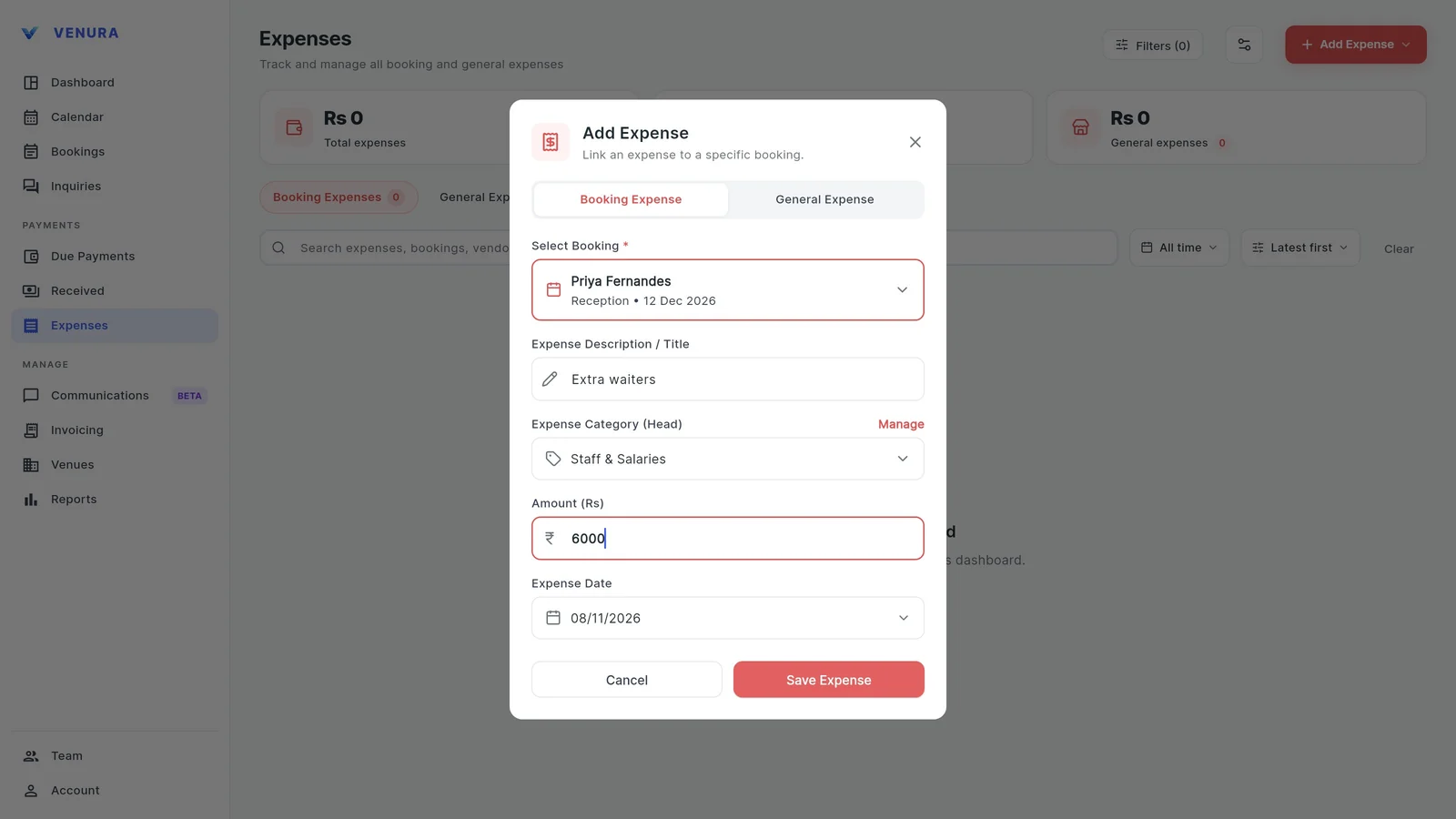
2It is listed under the booking
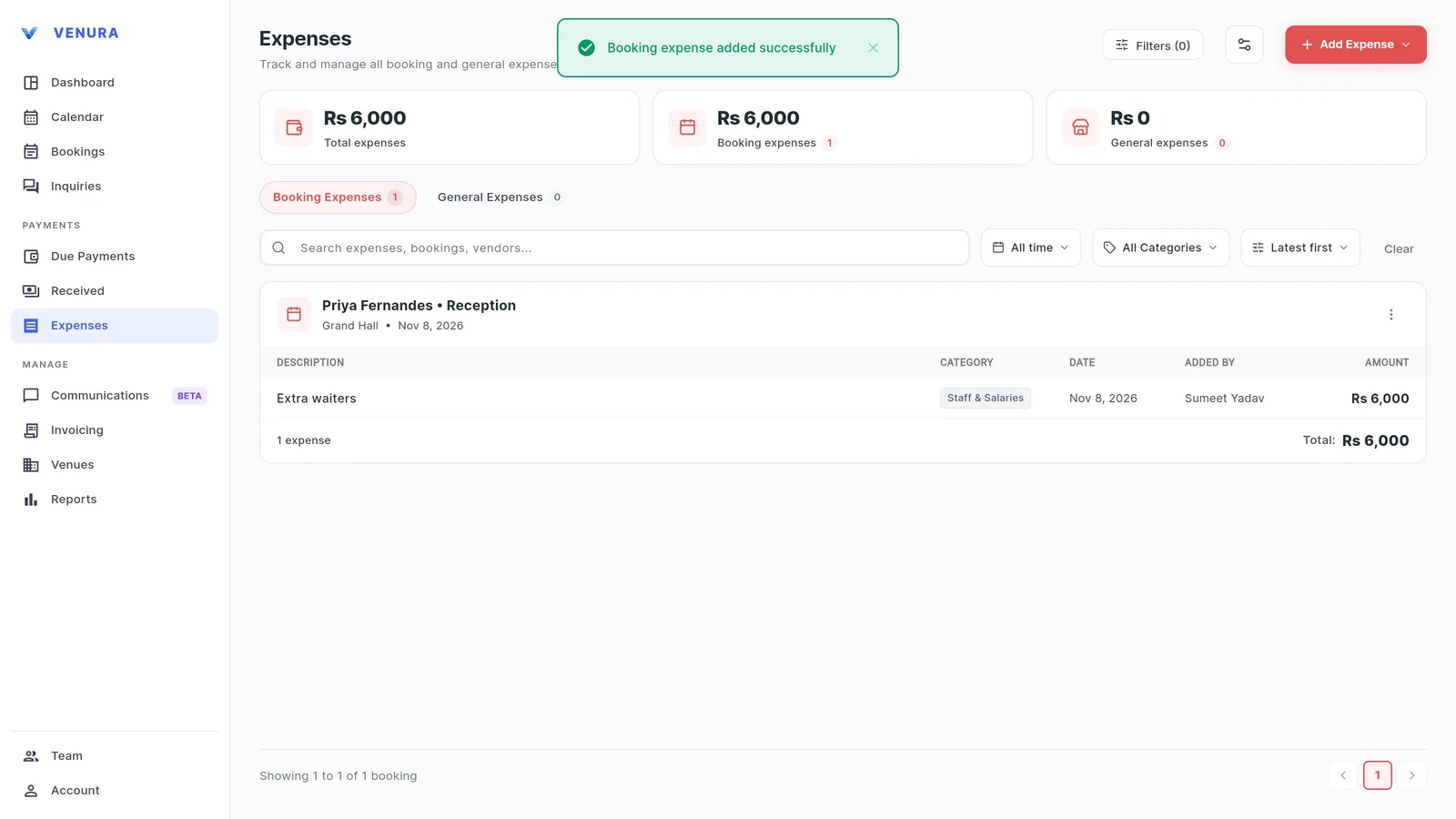
Booking expenses are grouped by booking, with who added each one and the total. They also show on the booking itself.
3Add a general expense
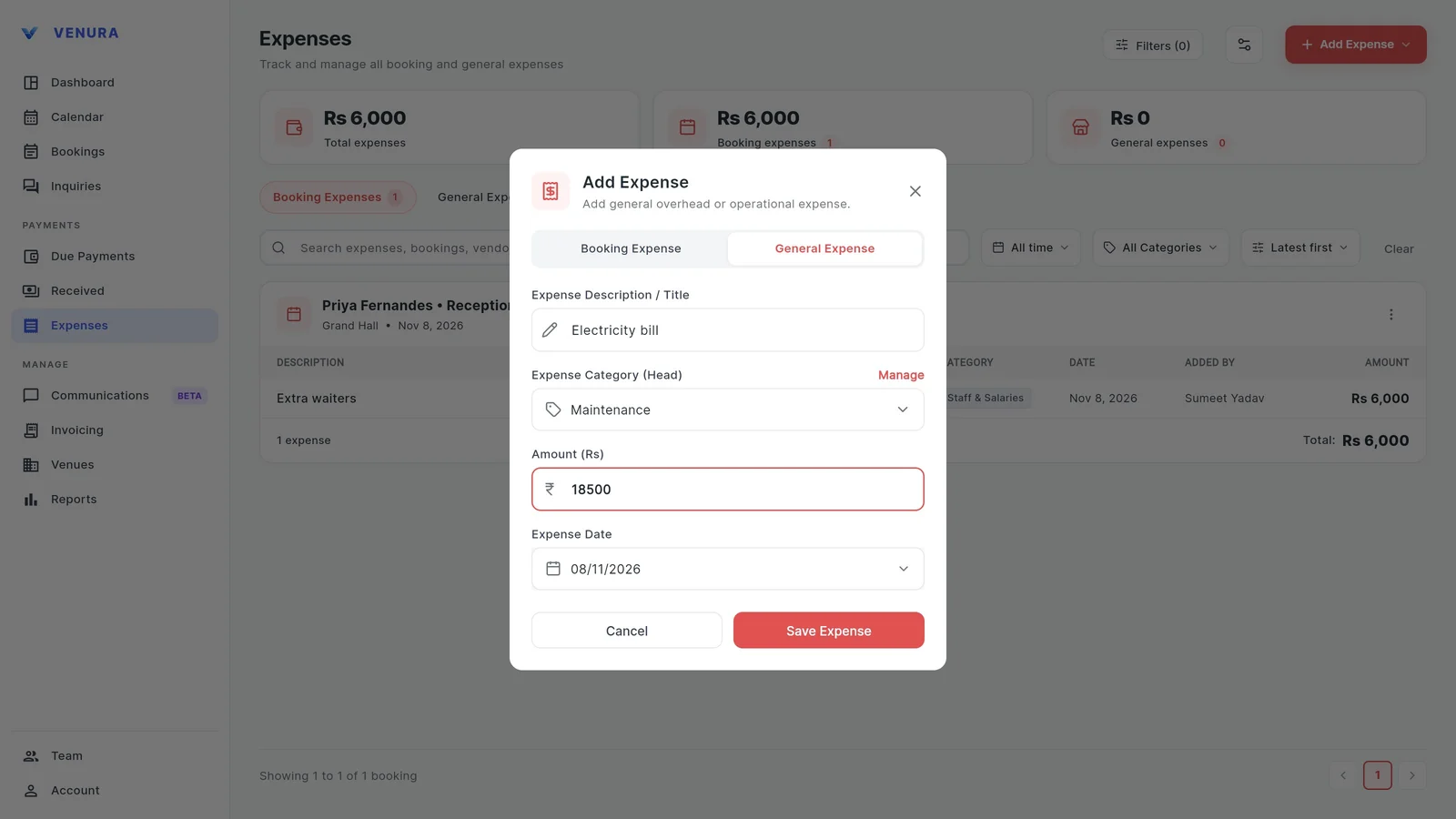
Costs that belong to no single event, like the electricity bill or salaries, go in as a general expense.
4See the totals
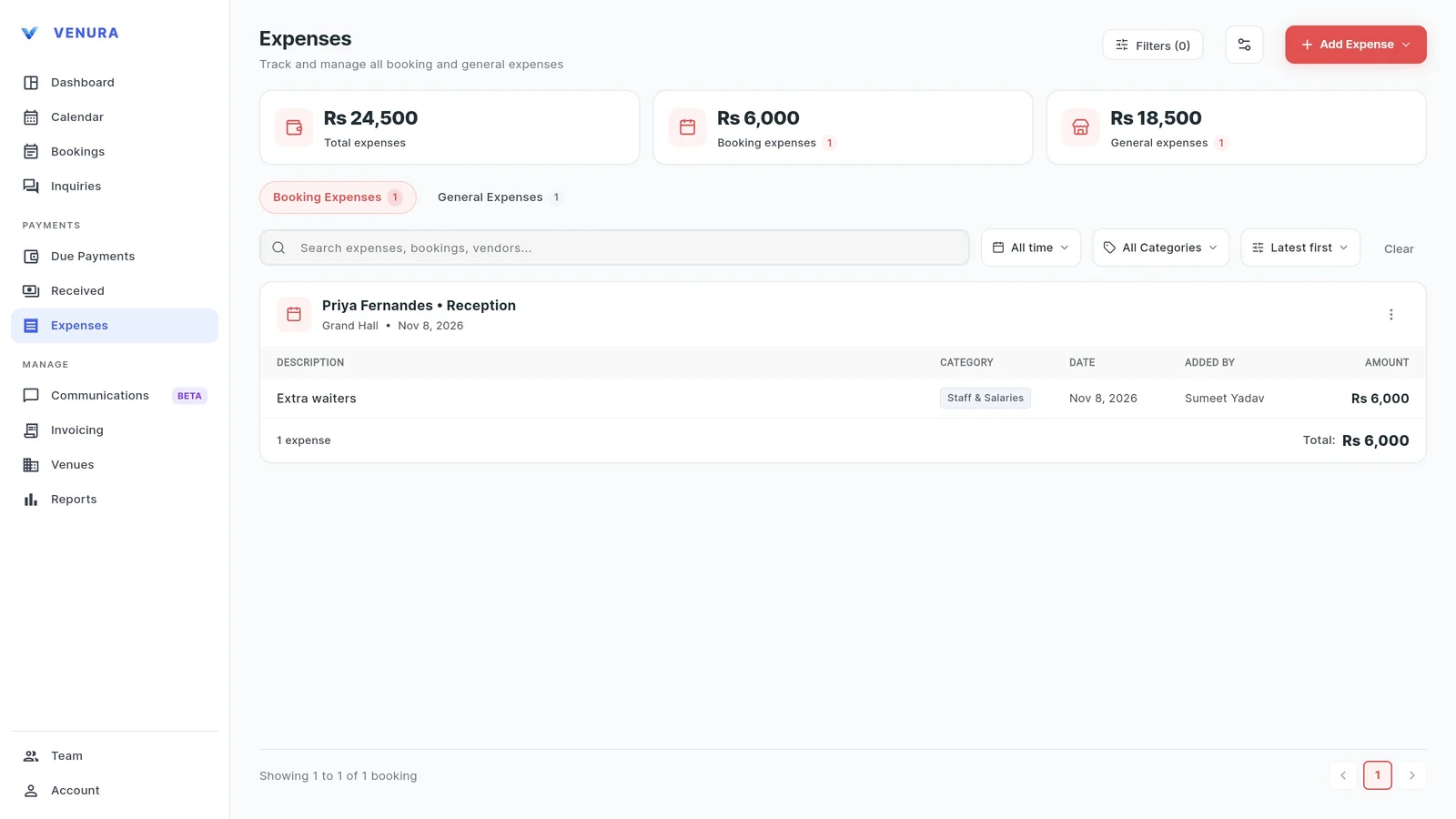
The top of the page shows total expenses, booking expenses and general expenses. Search, or filter by date and category.
5Open the P&L
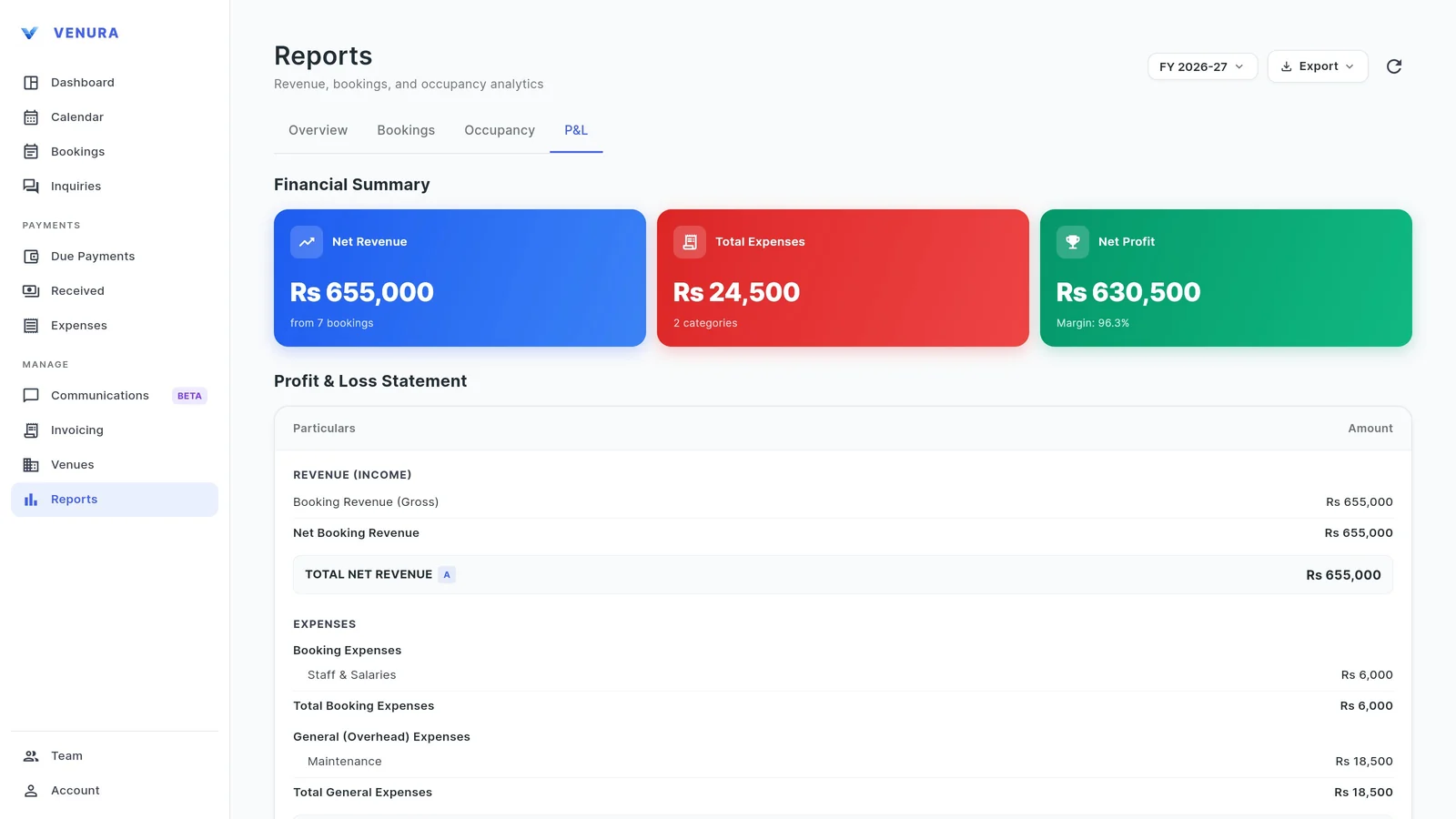
In Reports, the P&L tab shows net revenue from bookings, total expenses and net profit with the margin for the financial year. Revenue here is before GST.
6Read the statement
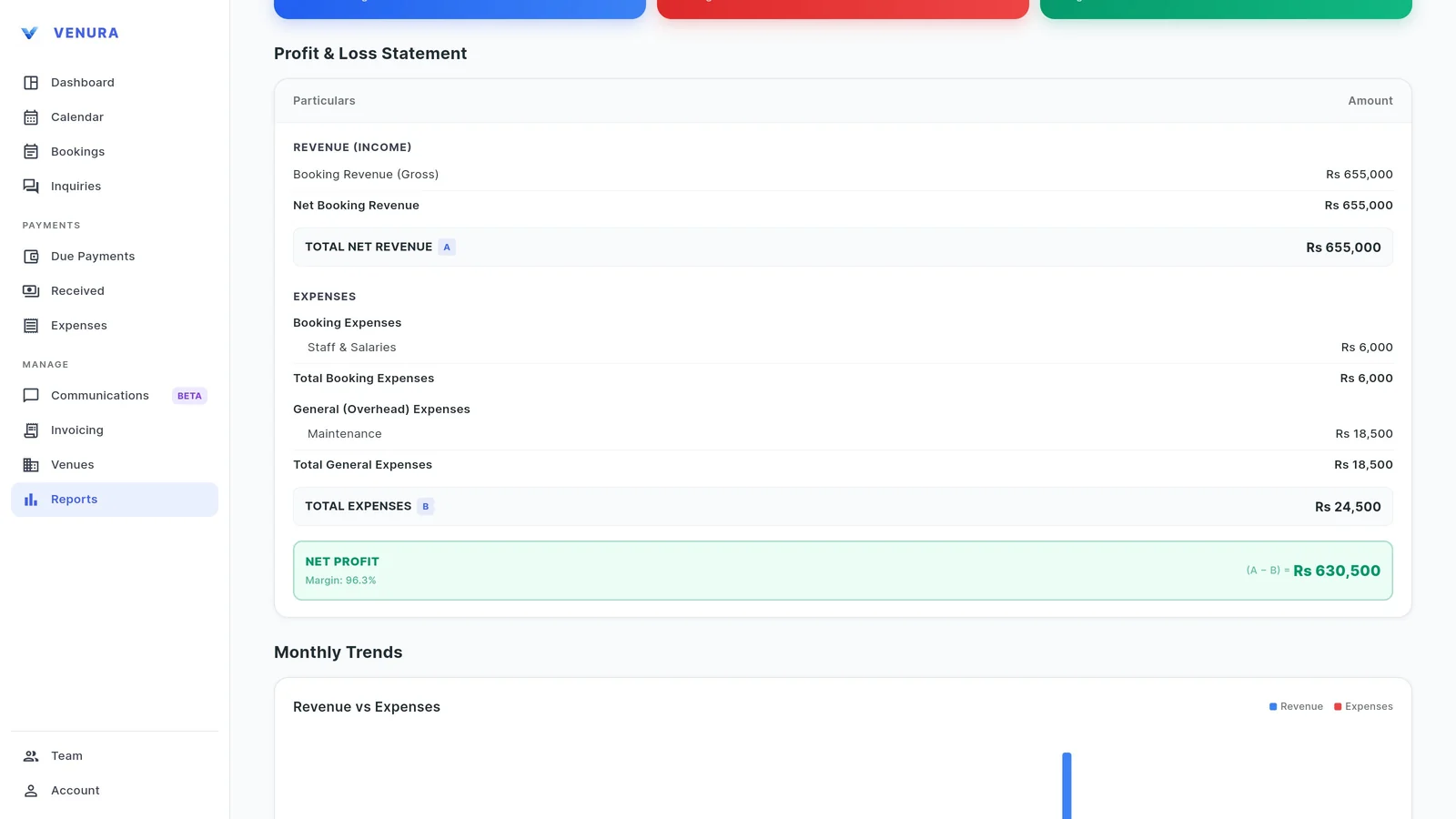
The profit and loss statement lists booking expenses and general expenses by category, then the net profit. Monthly trends compare revenue with expenses.
Costs to record for every banquet event
Profit is only right if the costs are in. These are the usual ones; each is a booking or general expense in Venura.
| On the expense record | In Venura |
|---|---|
| Extra staff and labour | Booking expense, Staff & Salaries |
| Food and drinks you buy for the event | Booking expense, Food & Beverage (F&B) |
| Decorator, DJ, generator | Booking expense in your own category |
| Electricity and water | General expense, Maintenance |
| Salaries and upkeep | General expense |
Booking expense or general expense?
- Booking expense
- Spent for one event, such as extra waiters for a reception.
- Free booking expense format →
- General expense
- Running costs of the venue, such as the electricity bill.
- Free general expense format →
Good to know
- Profit is shown for the business in the P&L report, not as a figure on each booking.
- The P&L is part of Reports, a Pro feature.
See a real Venura expense record, or start from a template
More free formats: Free expense and vendor payout tracker
Expenses and profit: common questions
Can I record costs against one booking?
Yes. Choose Add Booking Expense and pick the booking. The expense also shows on that booking.
What about costs that are not for one event?
Add them as a general expense, such as the electricity bill or salaries.
Can I use my own expense categories?
Yes. Venura starts with Food & Beverage (F&B), Staff & Salaries and Maintenance, and you can add your own.
How do I see my profit?
Open Reports and the P&L tab. It shows net revenue, expenses by category, net profit and the margin for the financial year.
Is the revenue in the P&L before or after GST?
Before GST. In the example, bookings worth Rs 772,900 with GST show Rs 655,000 net revenue.
Keep learning
More feature guides
- Make a banquet quotation and send it on WhatsApp
- Record a booking advance and send the receipt on WhatsApp
- Make a GST invoice from a confirmed banquet booking
- Stop double bookings with a hall-by-hall booking calendar
- Track every banquet enquiry until it becomes a booking
- Export banquet bookings and payments to Tally
- Give staff only the access they need, and see who changed what
- Build catering menus and per-plate packages, and send the quote
- Give your venue its own website with live availability
Know what every event really earns
Every Pro feature is free for 30 days. No card needed.
Ready to modernize your event business?
Explore the Venura ecosystem or speak with our team.