Feature guide · recorded in the Venura app
Give staff only the access they need, and see who changed what
Each person gets their own login. Admins see everything; for staff you tick, area by area, what they can view and change. Every action goes into the activity log with their name and time.
- Invite
- Tick access
- Staff work
- Activity log
Inviting team members is a Pro feature. Every Pro feature is free for the 30-day trial.
By Sumeet Yadav · Co-Founder & CTO, Venura · checked in the app on 8 November 2026
Set these up once
Invite your team
Add each person by email. They sign in with their own login.
Team → Invite team member
Step by step
1See your team
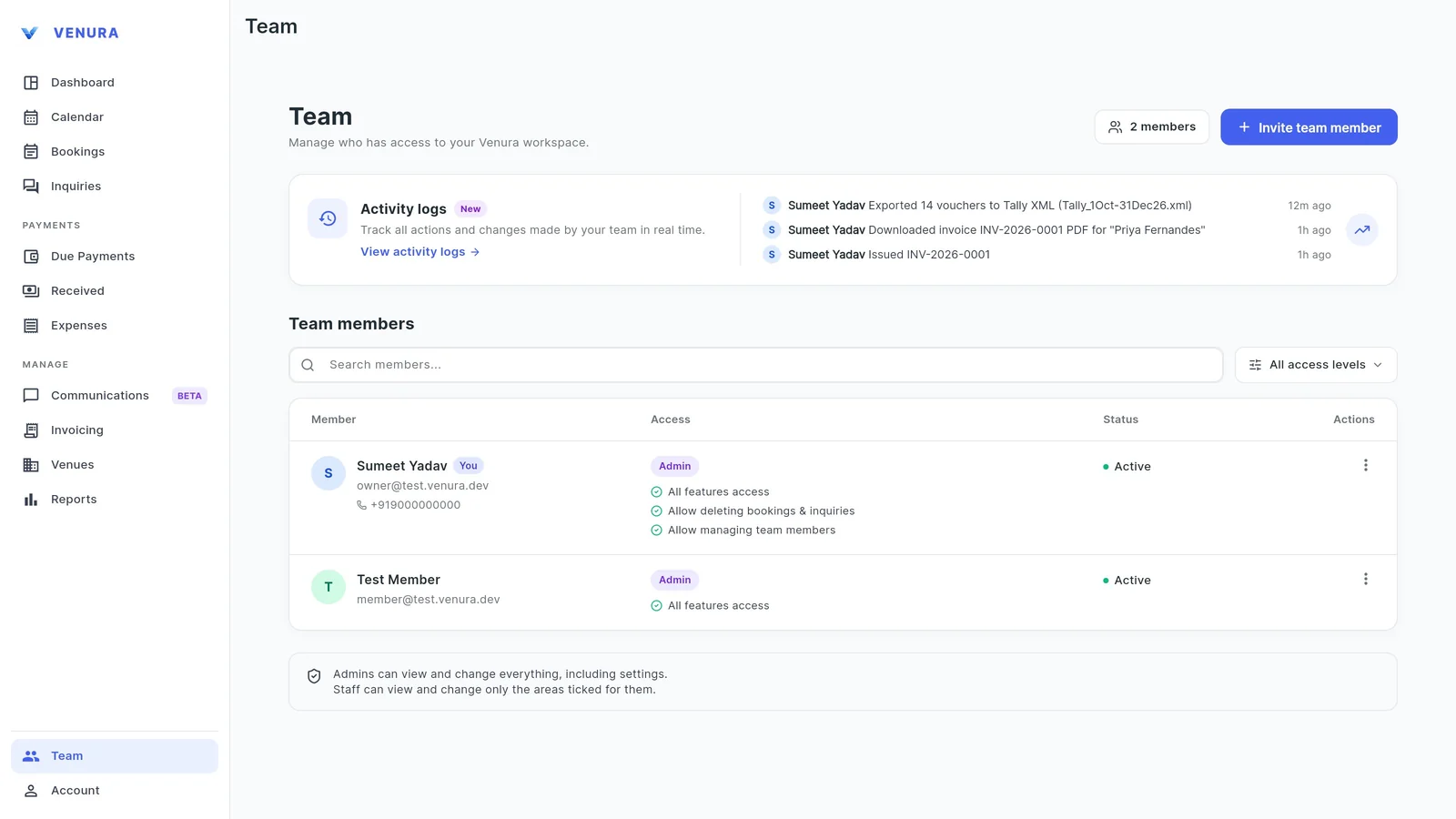
Team lists everyone with their role, what they can access and whether they are active. The latest activity shows at the top.
2Open a member's access
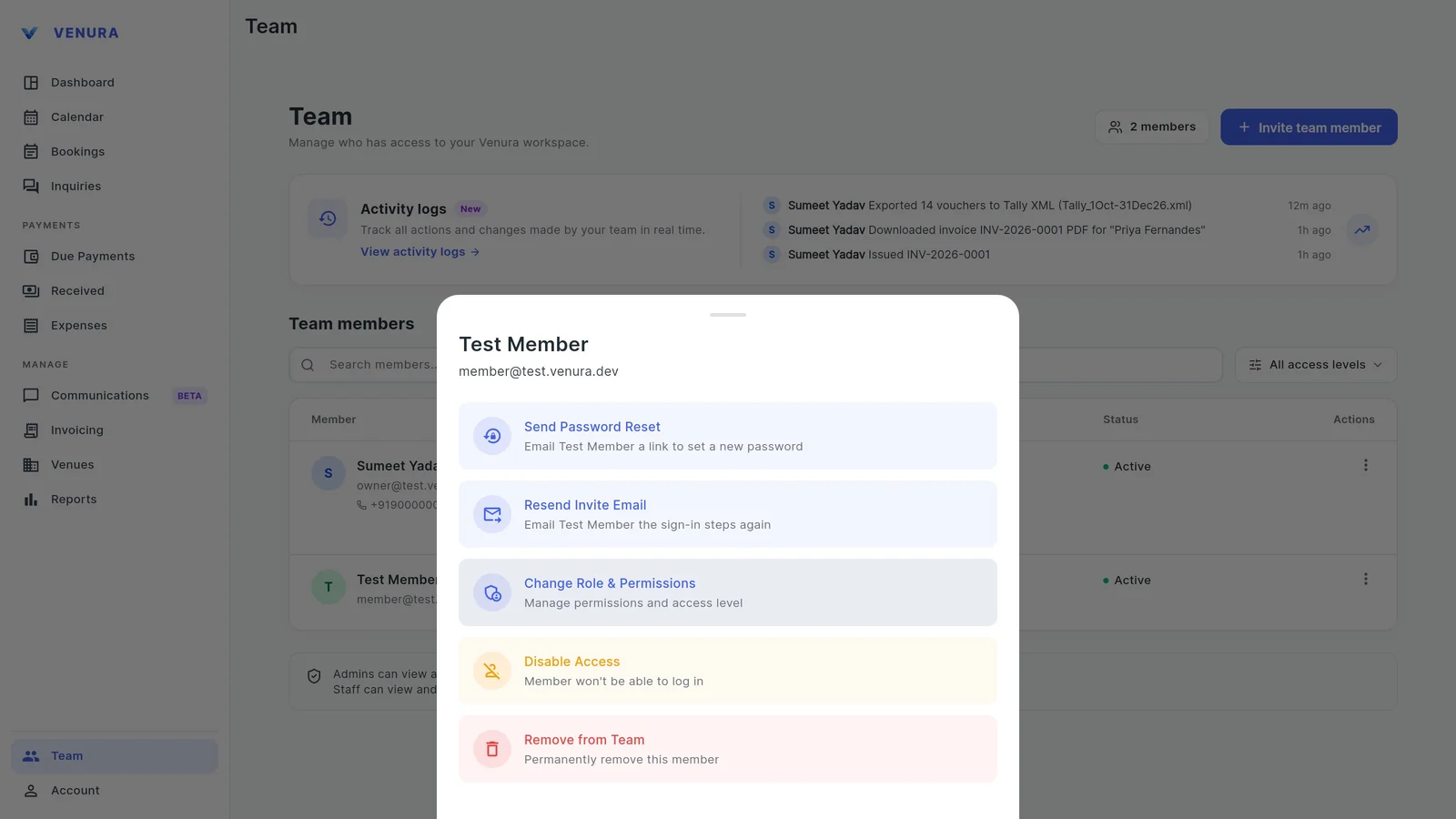
From the member's menu choose Change Role & Permissions. You can also send a password reset, resend the invite, disable access or remove them.
3Tick what staff can view and change
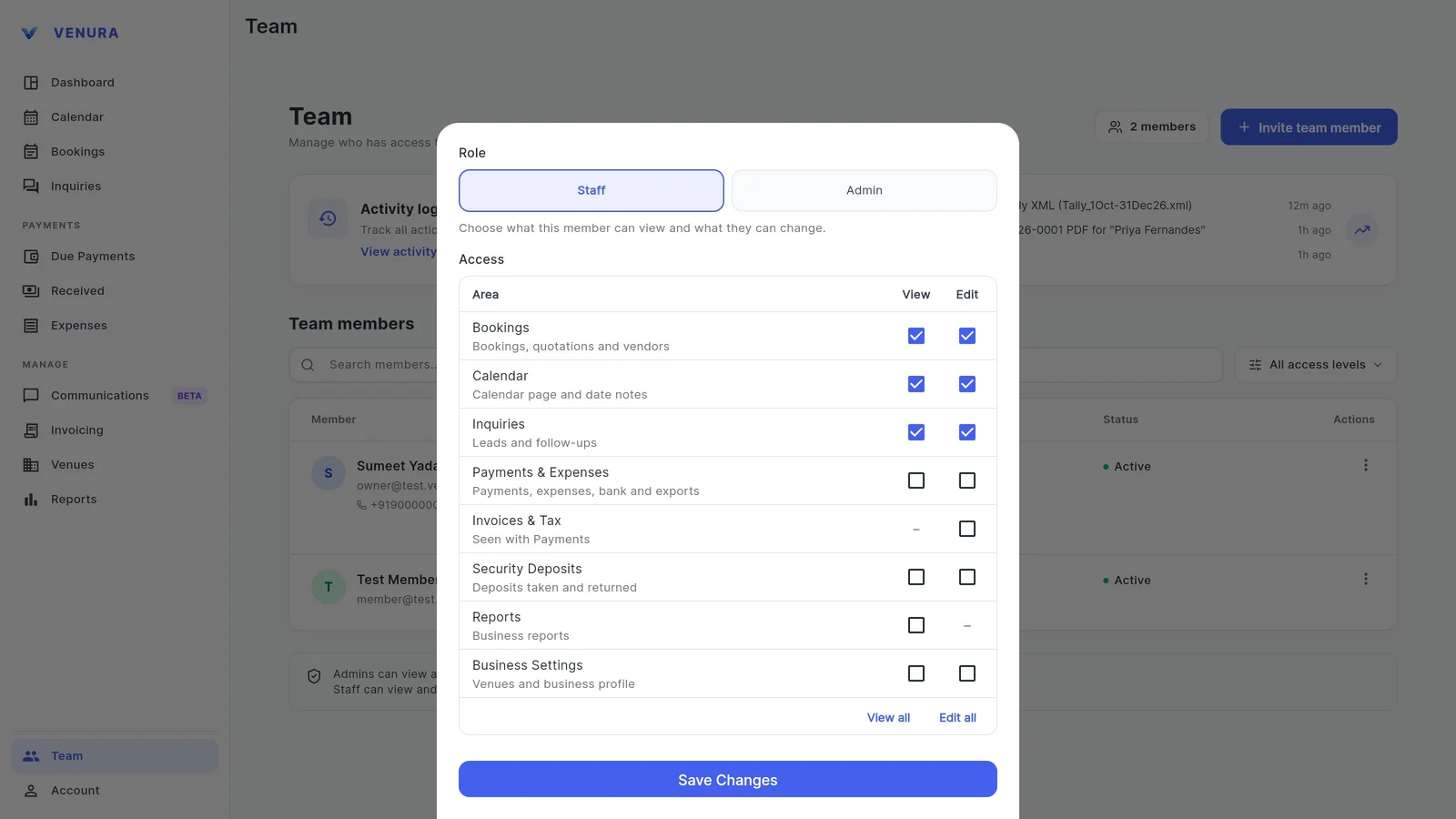
Admins can view and change everything. For Staff, each area has a View and an Edit tick: Bookings, Calendar, Inquiries, Payments & Expenses, Invoices & Tax, Security Deposits, Reports and Business Settings. Here the member handles bookings, the calendar and enquiries, and sees no payments or reports.
4The new access is saved
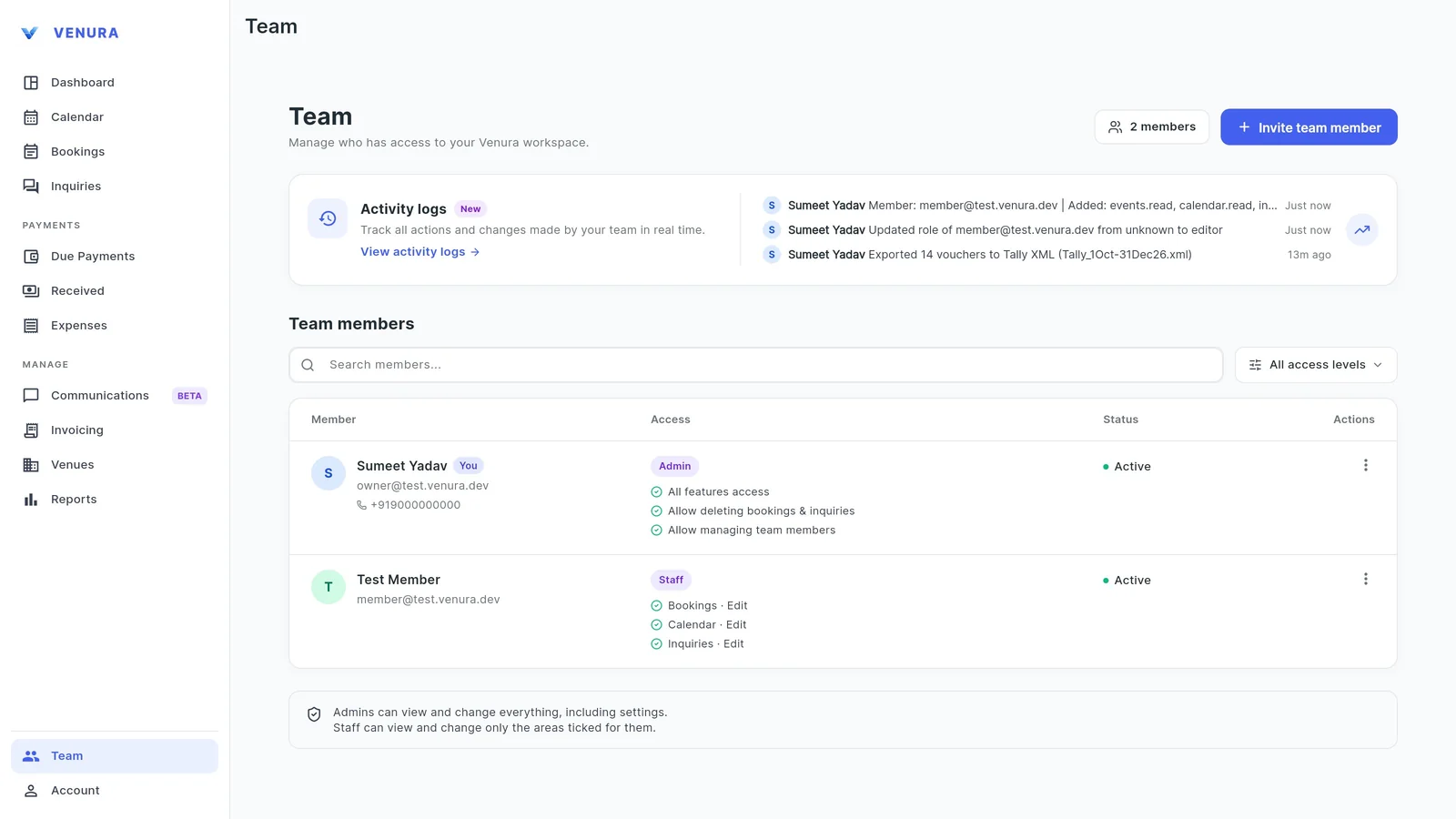
The member's row now shows Staff with Bookings, Calendar and Inquiries. Admins can also be allowed to delete bookings and enquiries, or to manage the team.
5Open the activity log
Audit Trail & Logs lists every action with who did it and when: bookings created, invoices issued, exports, permission changes and more. Only the owner can open it.
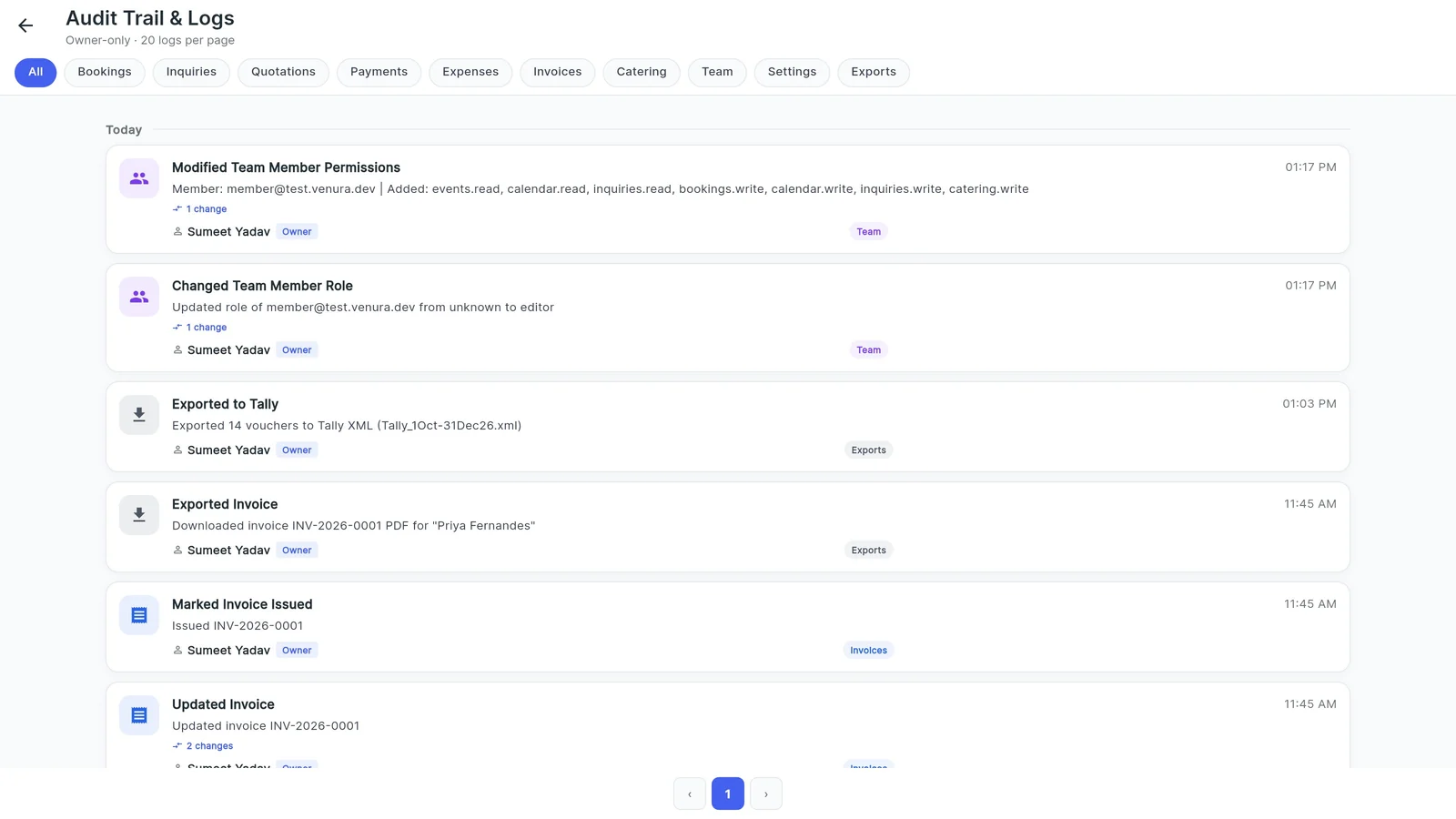
6Filter by area
Filter the log by Bookings, Inquiries, Quotations, Payments, Expenses, Invoices, Catering, Team, Settings or Exports.
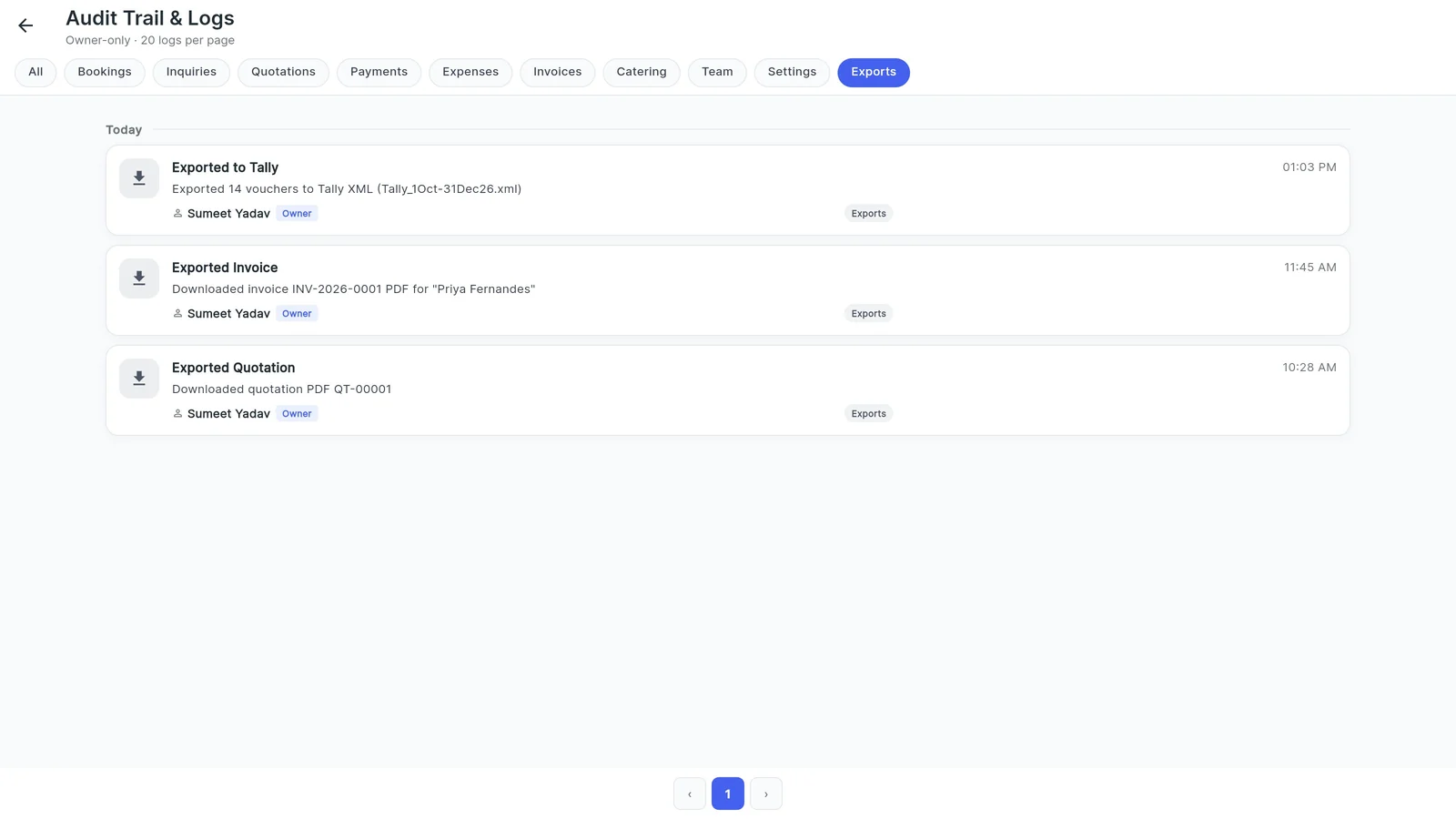
Setting up staff access at a banquet hall
Most venues need three kinds of access. The second column shows how to set each in Venura.
| On the team access | In Venura |
|---|---|
| Sales staff: enquiries, calendar and bookings | Staff with View and Edit on Inquiries, Calendar and Bookings |
| Accounts: payments, invoices and expenses | Staff with Payments & Expenses and Invoices & Tax |
| Manager: everything | Admin |
| Owner-only figures stay hidden | Leave Reports and Payments unticked |
| Someone leaves | Disable Access or Remove from Team |
| Check who changed a booking | Audit Trail & Logs |
Admin or Staff?
Good to know
- There are two roles, Admin and Staff; Staff access is set area by area rather than with custom role names.
- Invoices are seen together with Payments; there is no separate view tick for invoices.
- The activity log is for the owner only.
See a real Venura team access, or start from a template
More free formats: Team roles and permissions simulator
Staff access and activity log: common questions
Can I hide payments and profit from my sales staff?
Yes. Make them Staff and leave Payments & Expenses and Reports unticked. They can still handle enquiries, the calendar and bookings.
Can staff view something without changing it?
Yes. Tick View without Edit for that area.
What does the activity log record?
Who did what and when: bookings, enquiries, quotations, payments, expenses, invoices, catering, team changes, settings and exports.
What happens when someone leaves?
Use Disable Access so they can no longer log in, or Remove from Team.
Is it in the free plan?
Inviting team members needs Pro. Every Pro feature is free for the 30-day trial.
Keep learning
More feature guides
- Make a banquet quotation and send it on WhatsApp
- Record a booking advance and send the receipt on WhatsApp
- Make a GST invoice from a confirmed banquet booking
- Stop double bookings with a hall-by-hall booking calendar
- Track every banquet enquiry until it becomes a booking
- Export banquet bookings and payments to Tally
- Track event expenses and see your real profit
- Build catering menus and per-plate packages, and send the quote
- Give your venue its own website with live availability
Answers for venue owners
All answersRun your team with confidence
Every Pro feature is free for 30 days. No card needed.
Ready to modernize your event business?
Explore the Venura ecosystem or speak with our team.