Feature guide · recorded in the Venura app
Record a booking advance and send the receipt on WhatsApp
Confirm the booking with the advance the family paid, send them the receipt on WhatsApp, and see what is still due with a one-tap reminder.
- Advance received
- Booking confirmed
- Receipt on WhatsApp
- Balance reminder
Bookings and payments are in every plan; the free plan covers 40 confirmed bookings a financial year. Every Pro feature is free for the 30-day trial.
By Sumeet Yadav · Co-Founder & CTO, Venura · checked in the app on 8 November 2026
Set these up once
Your halls and their rent
Hall rent fills into every booking from your venue settings, and you can change it per booking.
Account → Business Setup → Venue Settings
GST
With your GSTIN and rate set once, the receipt shows the taxable amount and CGST and SGST, or IGST.
Account → Business Setup → Tax Configuration
Logo, address and terms
Your logo, business name, address and GSTIN appear on the receipt, and you can add your terms too.
Account → Branding & Receipts
Step by step
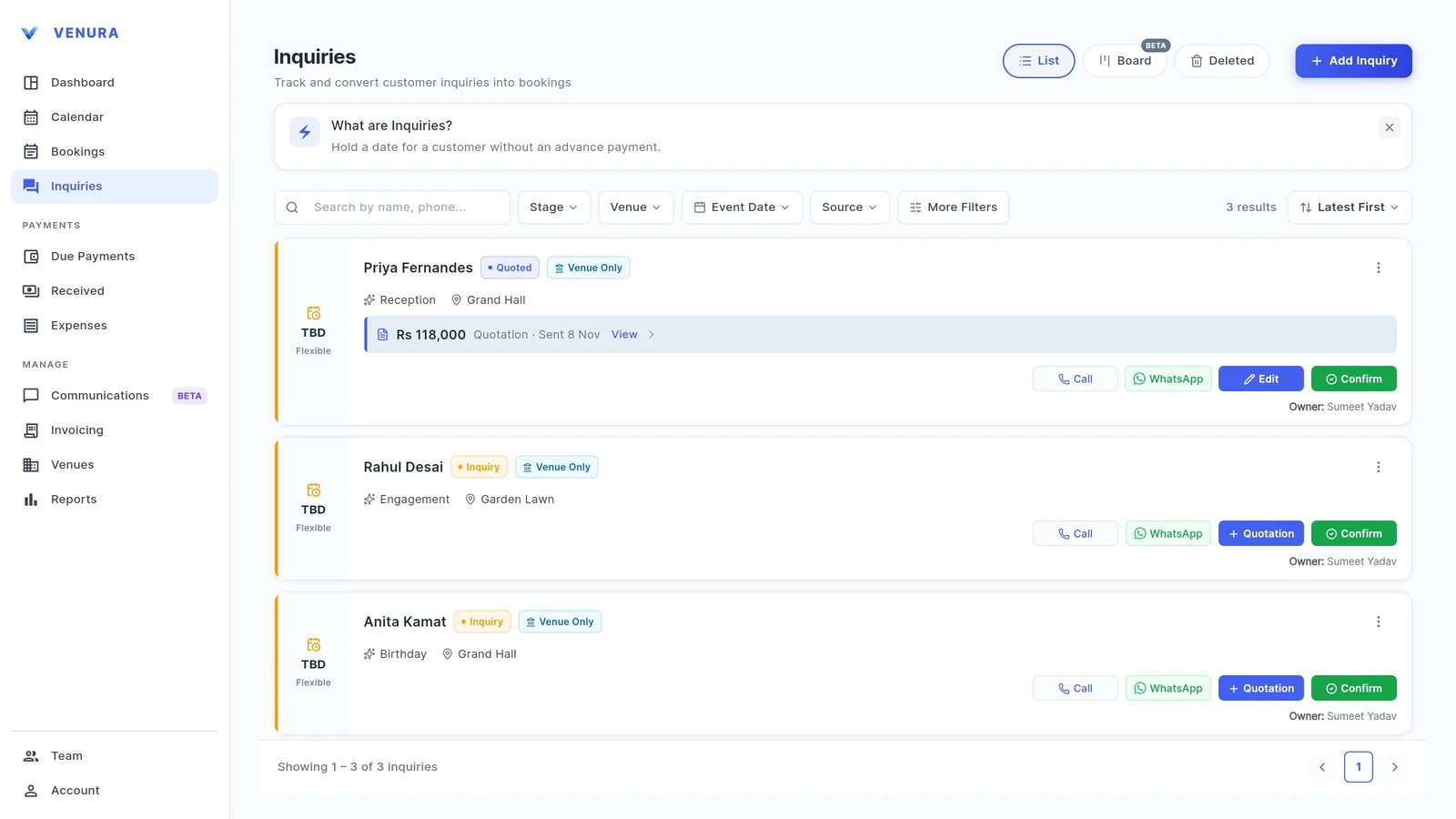
1Tap Confirm on the enquiry
When the family agrees, open Inquiries and tap Confirm on their enquiry. If you sent them a quotation, the booking opens with its details and prices already filled in.
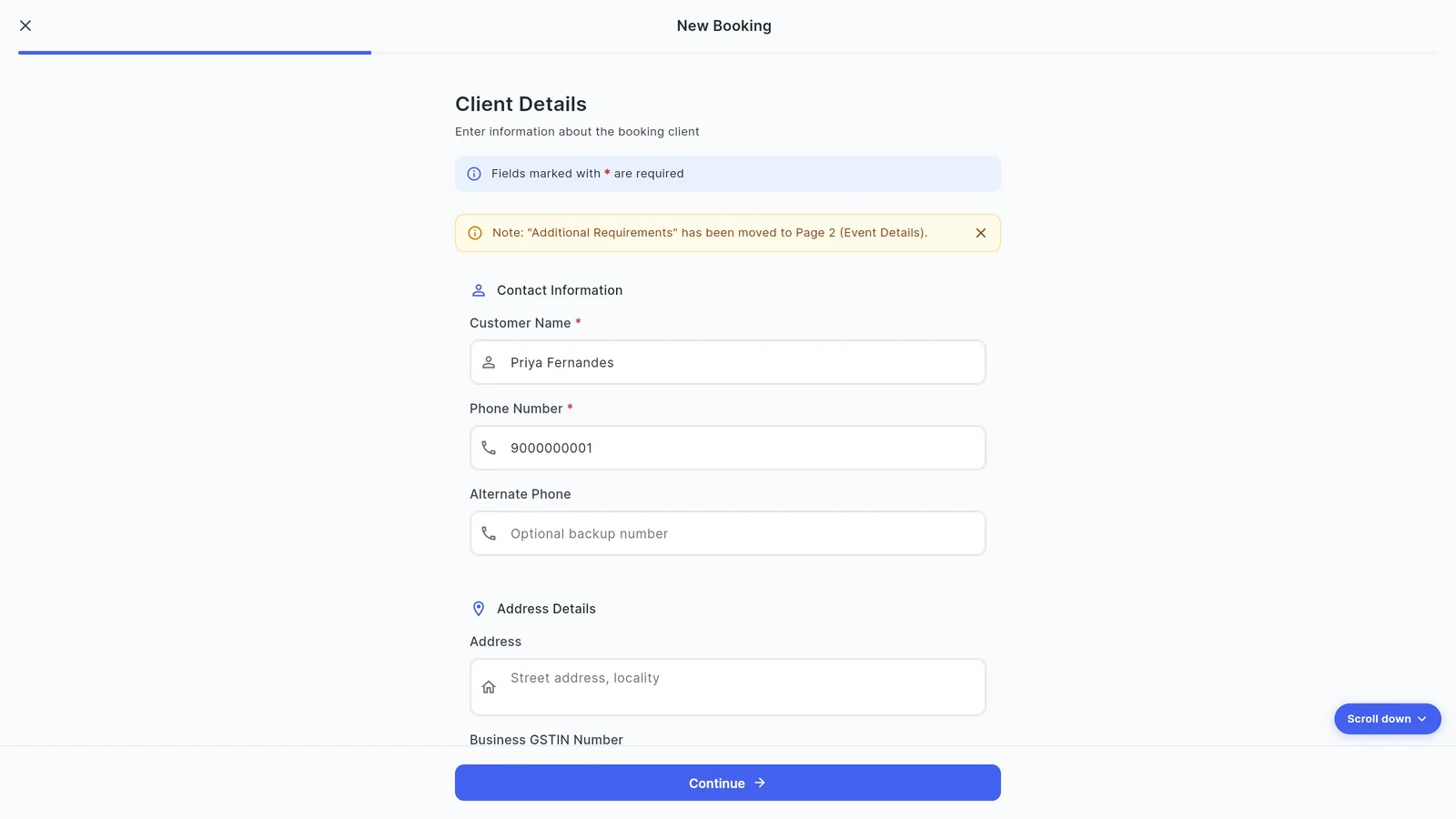
2Check the details from the quotation
Client, date, time, hall and fees come over from the quotation. Change anything that moved, then continue to Payment Details.
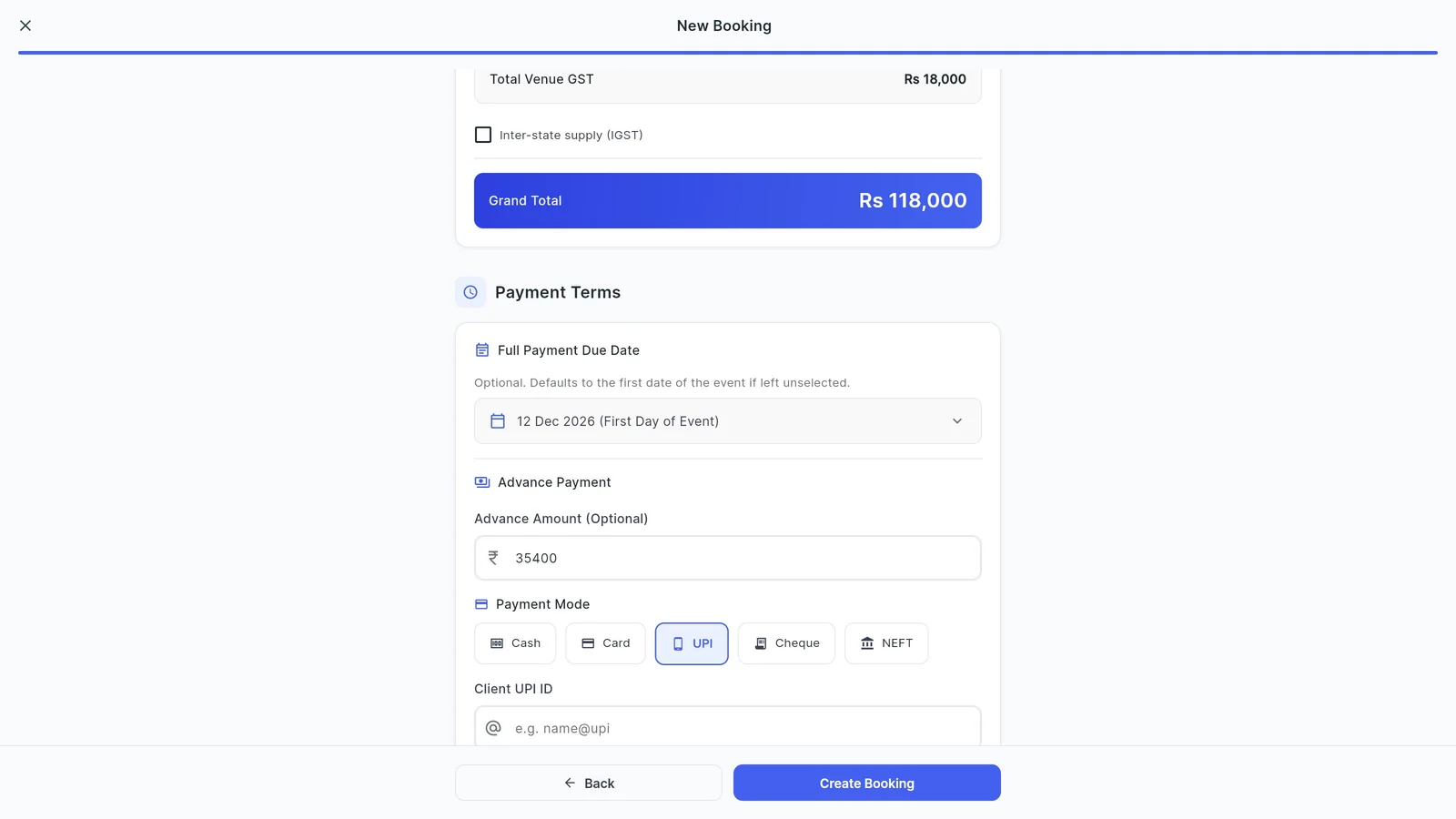
3Record the advance
Under Payment Terms, enter the advance amount and pick how it was paid: Cash, Card, UPI, Cheque or NEFT. The full-payment due date defaults to the first day of the event; change it if you agreed another date.
Tap Create Booking. The date is now a confirmed booking, and the double-booking check protects it.
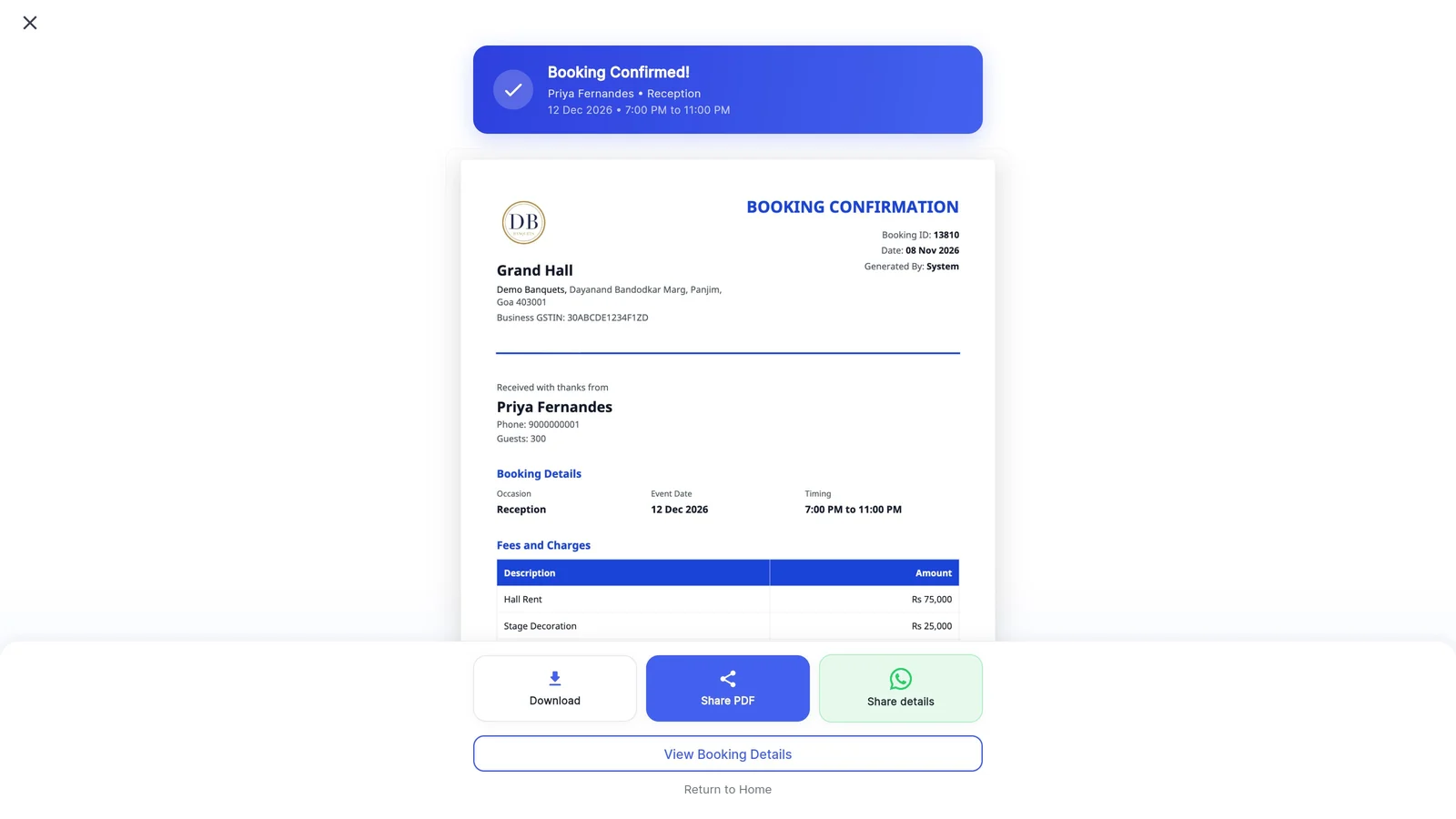
4Send the booking confirmation
Venura creates a booking confirmation with your logo, GSTIN and booking ID, the fees and GST, the advance received with its date and mode, and the pending amount.
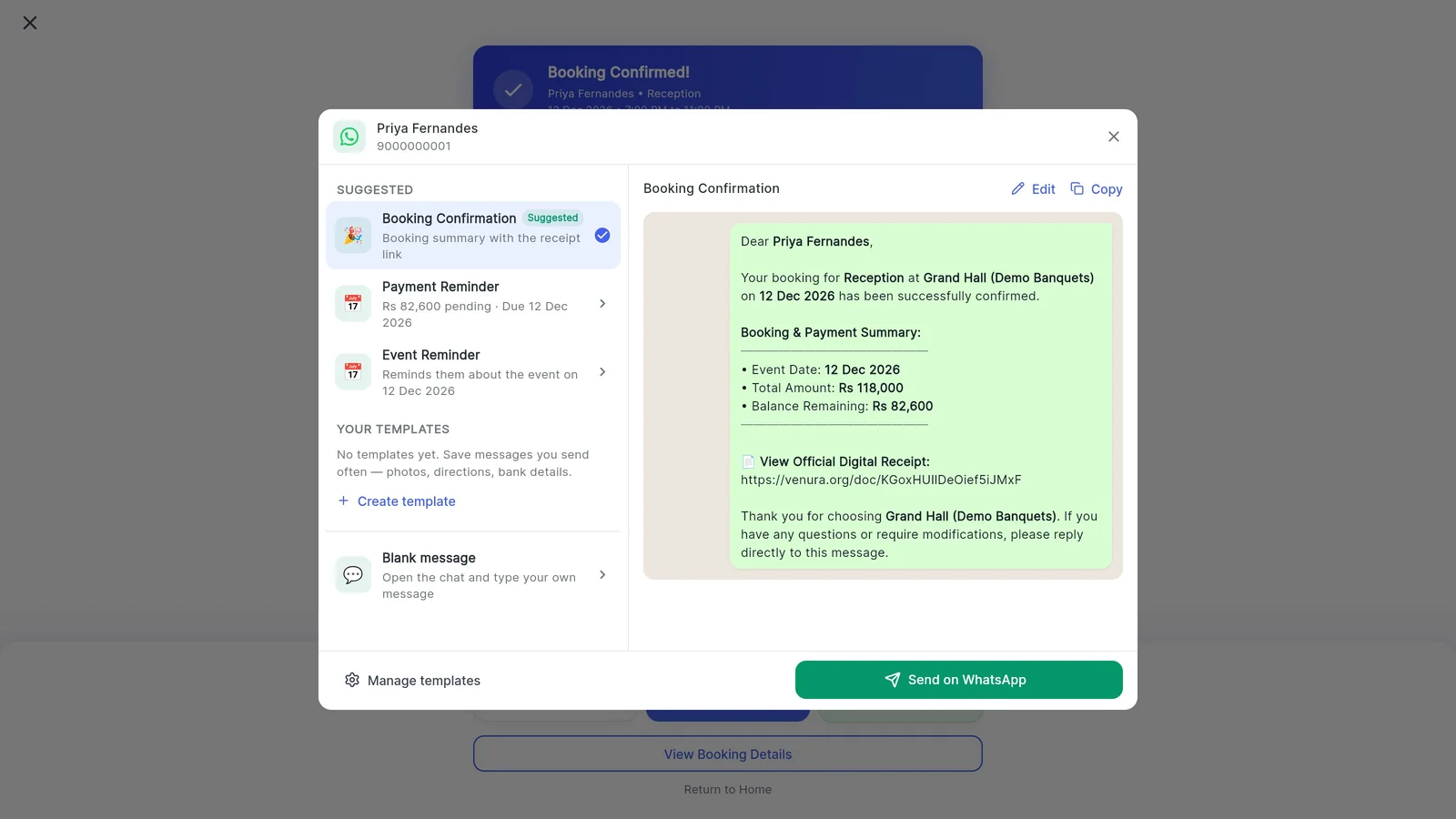
Download it, share the PDF, or tap Share details to send the family a WhatsApp message with the booking and payment summary.
5The family gets it on WhatsApp
The message lists the event date, total amount and balance remaining, ready to send from your WhatsApp.
6See what is still due
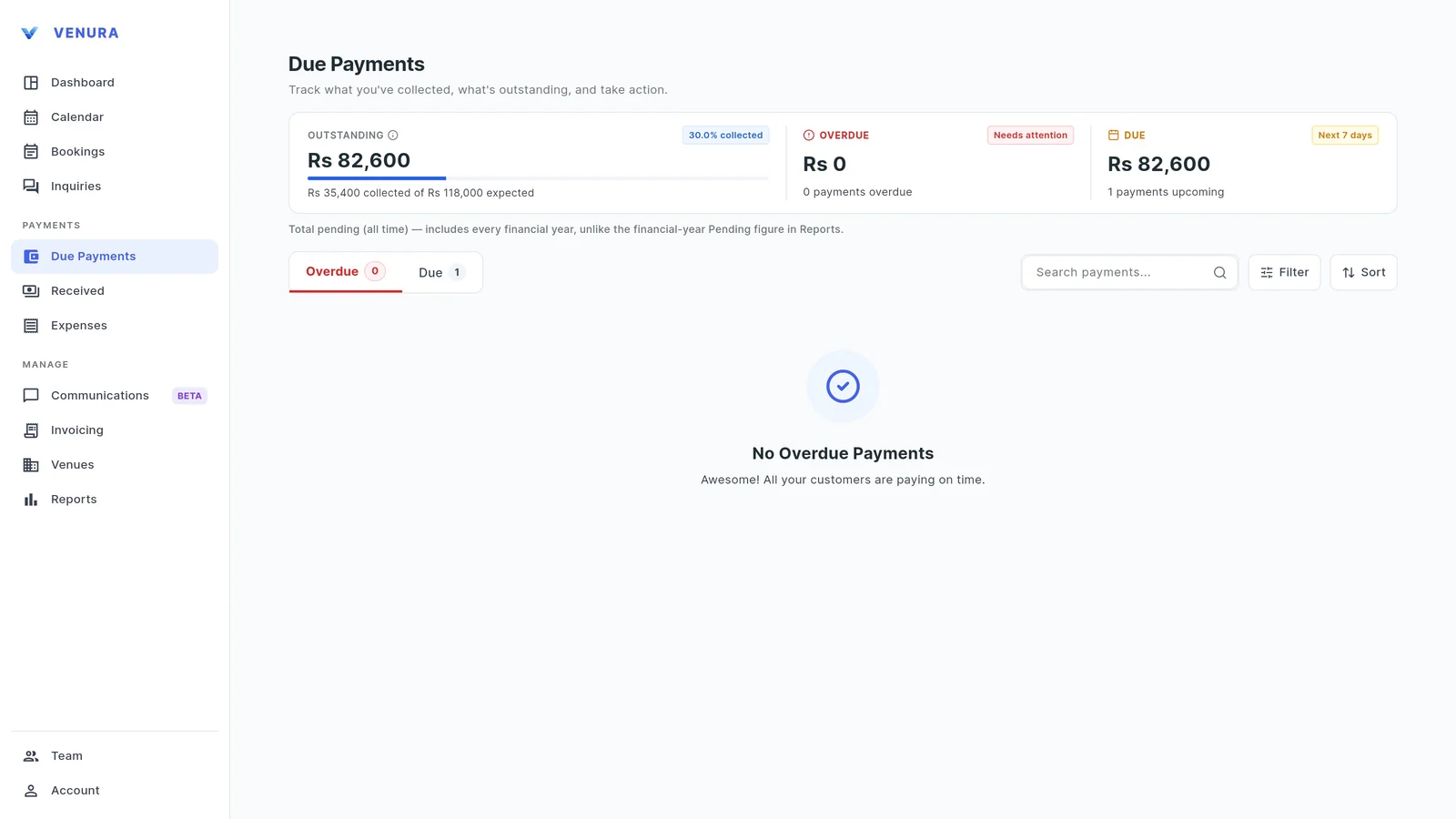
Due Payments shows the total outstanding, how much of the expected amount you have collected, what is overdue and what falls due in the next 7 days.
7Remind the family about the balance
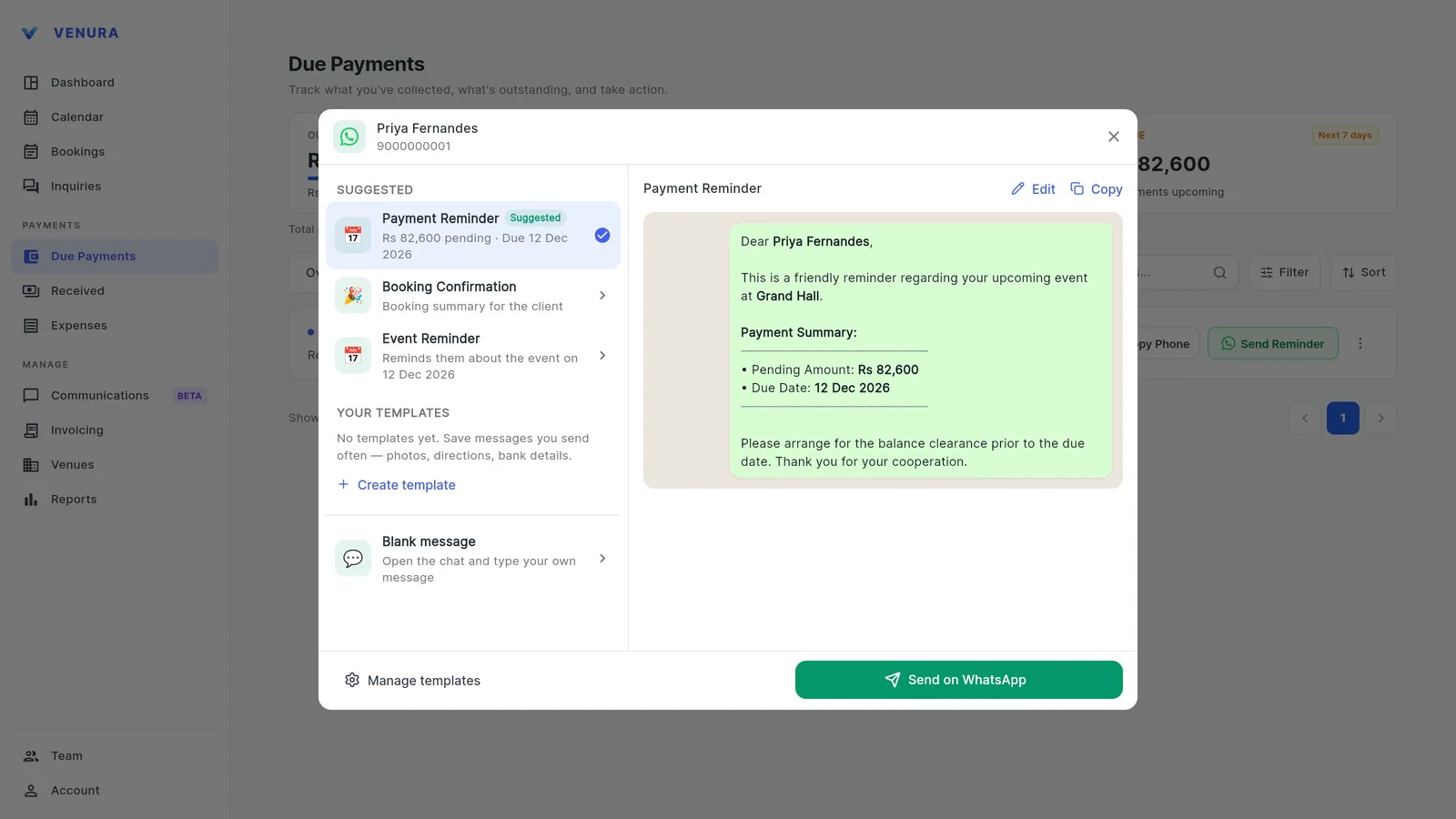
On the Due tab, tap Send Reminder. A Payment Reminder with the pending amount and due date is ready to send on WhatsApp. When the balance comes in, open the booking and tap Add Payment.
What an advance receipt for a banquet booking should show
Families keep this as proof the date is theirs. Make sure yours has these; the second column shows where each comes from in Venura.
| On the receipt | In Venura |
|---|---|
| Your venue's name, address, GSTIN and logo | Branding & Receipts and Tax Configuration, set once |
| A booking or receipt number and date | Booking ID and date printed automatically |
| Who paid: the client's name and phone | From the enquiry or booking |
| The event, date, time and hall | From the booking |
| The full price with the GST split | Fees, CGST and SGST (or IGST) and the grand total |
| The amount received, the date and how it was paid | Advance Payment, Paid on and Mode lines |
| The balance still to pay | Pending Amount line |
| Your terms, such as the cancellation policy | Add your terms and conditions |
Quotation, advance receipt or invoice: which one when?
- Quotation
- Before the booking: the price you offer. No money has changed hands.
- Free quotation format →
- Advance receipt
- When the family pays to confirm the date. GST is due on the advance, so the receipt should show it.
- Free advance receipt format →
- Tax invoice
- For the event, with final amounts and the GST split. Advances already taxed are adjusted.
- Free tax invoice format →
Good to know
- The advance is optional: you can confirm a booking first and add payments later from the booking.
- Venura opens WhatsApp with the message ready; you press send in WhatsApp.
- A tentative enquiry does not block the date. Confirming the booking does.
See a real Venura receipt, or start from a template
- PDFSample booking receipt made in Venura (PDF)The booking confirmation from the video, downloaded from the app: advance Rs 35,400 by UPI and Rs 82,600 pending.
- ExcelAdvance receipt voucher template (Excel)A template for venues not using the app yet, with a ledger tab.
- WordMoney receipt template, two copies (Word)A printable template for venues not using the app yet.
More free formats: Advance payment receipt format · Money receipt format · Payment receipt format
Advances and receipts on WhatsApp: common questions
How do I send a payment receipt to a banquet client on WhatsApp?
Record the payment on the booking in Venura, then tap Share details on the booking confirmation. WhatsApp opens with the booking and payment summary ready to send, and you can share the PDF too.
Does the receipt show the balance due?
Yes. The booking confirmation lists the advance received, the date and payment mode, and the pending amount.
Which payment modes can I record?
Cash, Card, UPI, Cheque and NEFT.
How do I remind a family about the balance?
Open Due Payments, go to the Due tab and tap Send Reminder. A payment reminder with the pending amount and due date opens in WhatsApp.
How do I record the balance when it is paid?
Open the booking and tap Add Payment. Due Payments updates the outstanding amount.
Is GST payable on a banquet advance?
For services such as hall bookings, GST becomes due when you receive the advance or issue the invoice, whichever is earlier, so the advance should be shown with the tax.
Keep learning
More feature guides
- Make a banquet quotation and send it on WhatsApp
- Make a GST invoice from a confirmed banquet booking
- Stop double bookings with a hall-by-hall booking calendar
- Track every banquet enquiry until it becomes a booking
- Export banquet bookings and payments to Tally
- Give staff only the access they need, and see who changed what
- Track event expenses and see your real profit
- Build catering menus and per-plate packages, and send the quote
- Give your venue its own website with live availability
Collect your next advance in Venura
Every Pro feature is free for 30 days. No card needed.
Ready to modernize your event business?
Explore the Venura ecosystem or speak with our team.