Feature guide · recorded in the Venura app
Give your venue its own website with live availability
Venura Showcase gives your banquet hall, lawn or wedding venue its own website at your-venue.venura.org. Customers see your halls, photos and amenities, check a date and get an answer at once from your own Venura calendar.
- Setup guide
- Photos for every hall
- Publish
- Customer checks a date
- Inquiry in your calendar
Venura Showcase is turned on for your account by the Venura team: message us on WhatsApp and we set your web address. You then set the page up yourself in the Venura app on iPhone, Android or the web.
By Sumeet Yadav · Co-Founder & CTO, Venura · checked in the app on 12 November 2026
Set these up once
Your halls
The page lists the halls from your business setup. Add each hall there first, with its name.
Account → Business Setup
Venura Showcase turned on
The Venura team turns it on for your account and sets your web address, such as your-venue.venura.org.
Message the Venura team
Step by step
1Open Venura Showcase
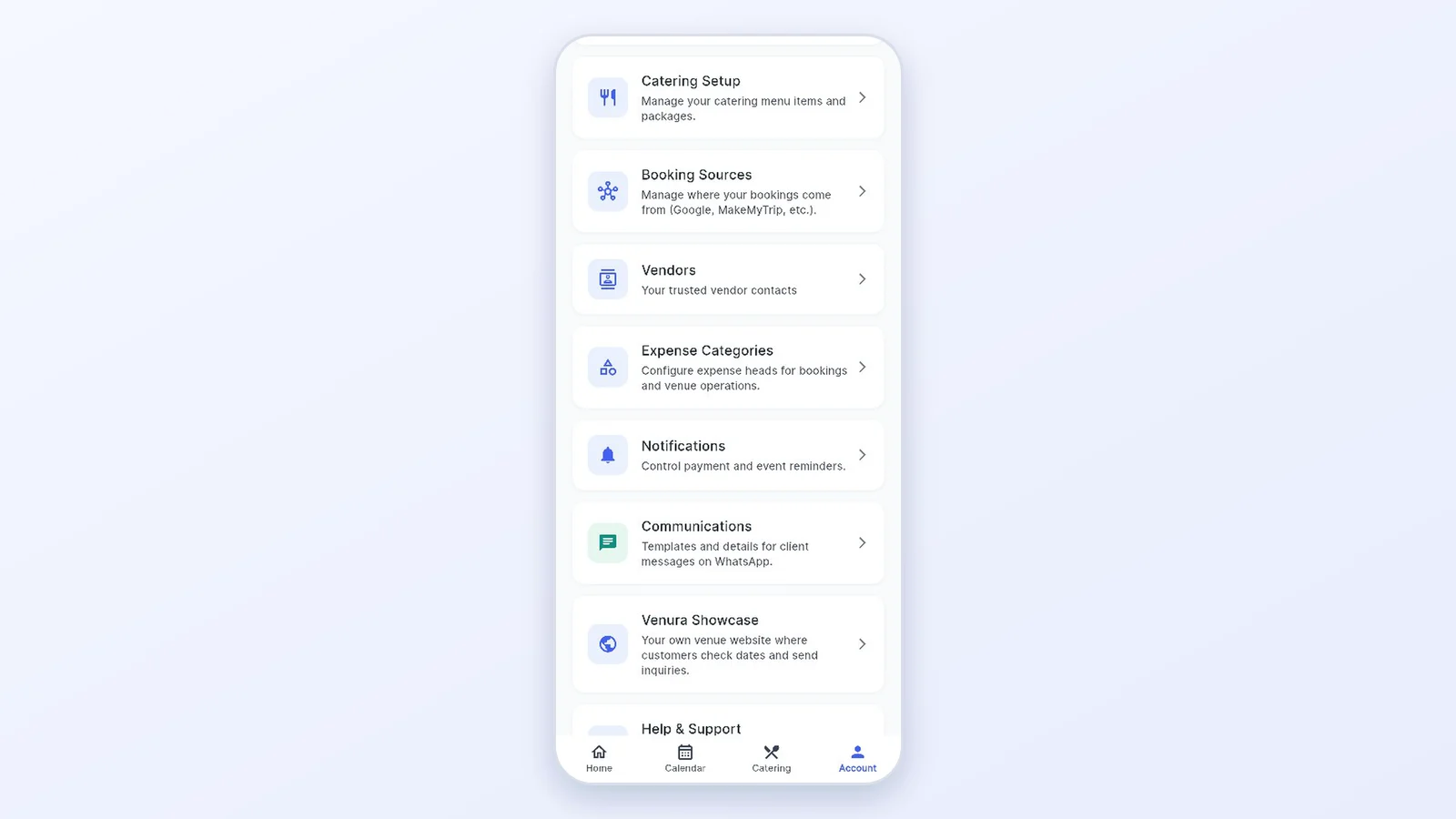
In the app, go to Account → Venura Showcase. The first time, a short setup guide opens with your link and the 8 steps. Your saved business details are already filled in, and Finish later keeps your progress.
2Tell guests about your venue
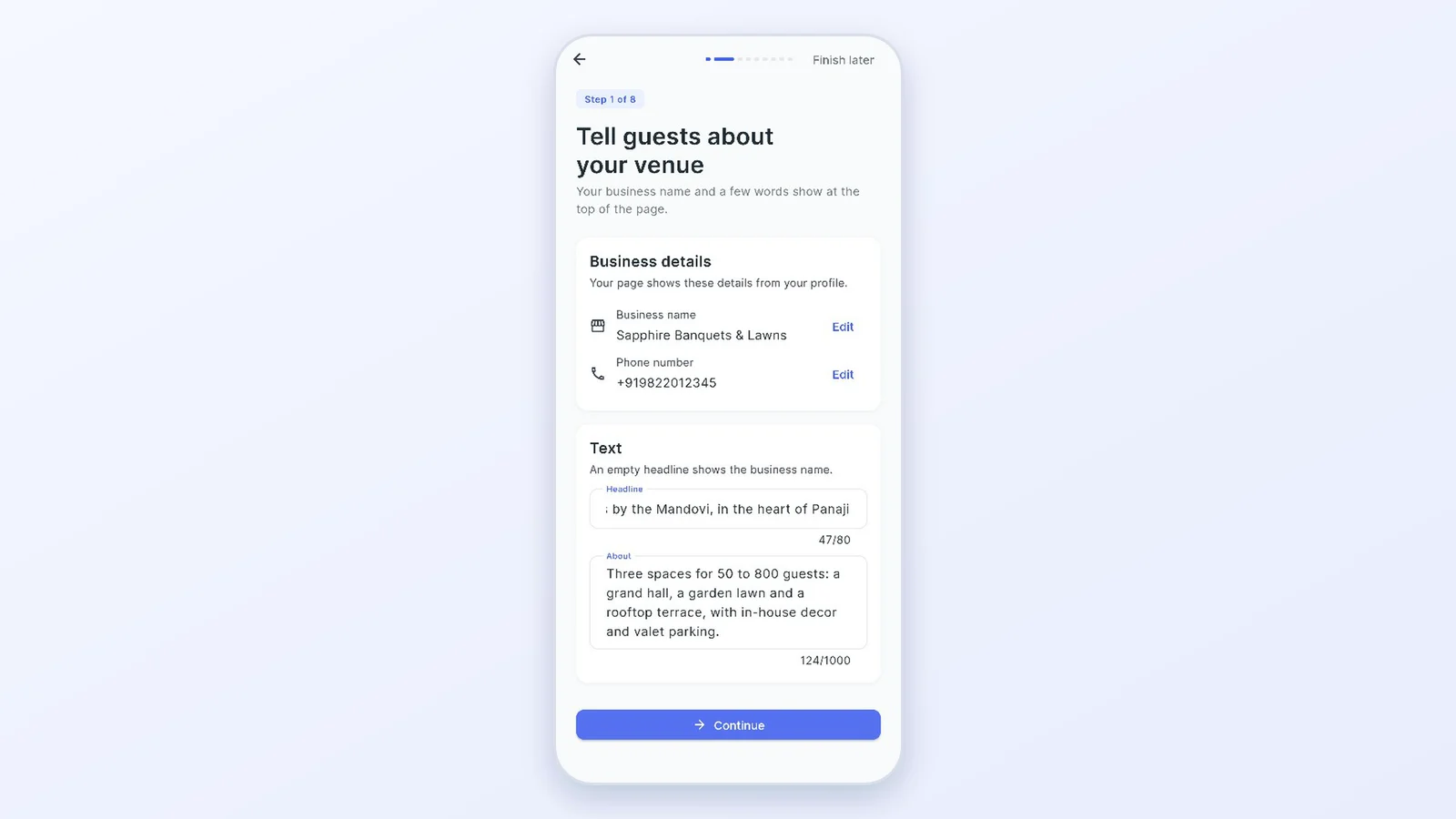
Add a headline and a few words about the venue. The business name and phone number come from your profile.
3Choose your halls and add photos and videos
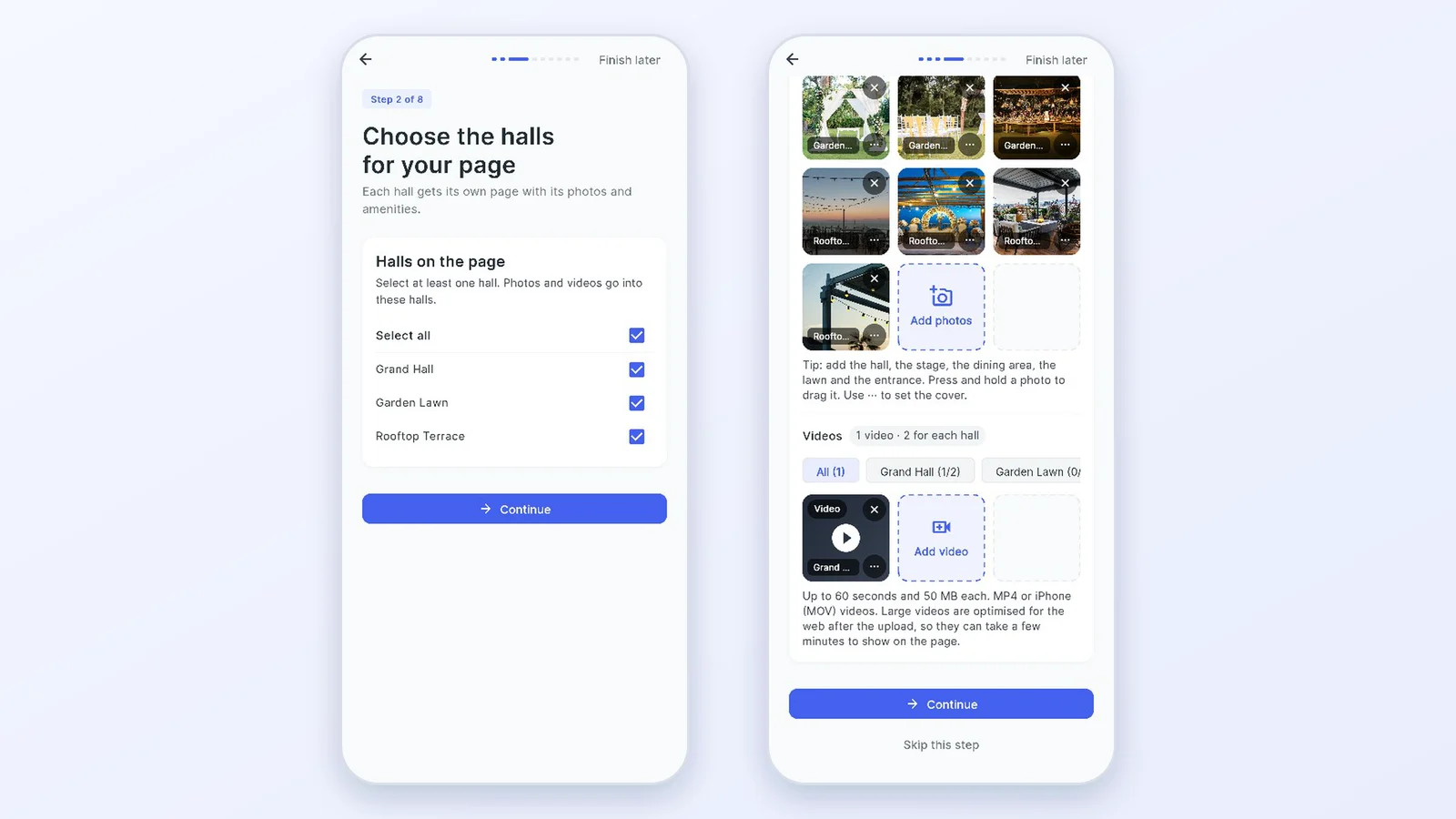
Tick the halls to show. Each hall gets its own page.
Then pick a hall and add its pictures: up to 12 photos and 2 videos for each hall, each video 60 seconds or shorter. The first photo is the cover. Photos and videos are optimised for the web automatically after the upload.
4Add what your venue offers, and a page for every hall
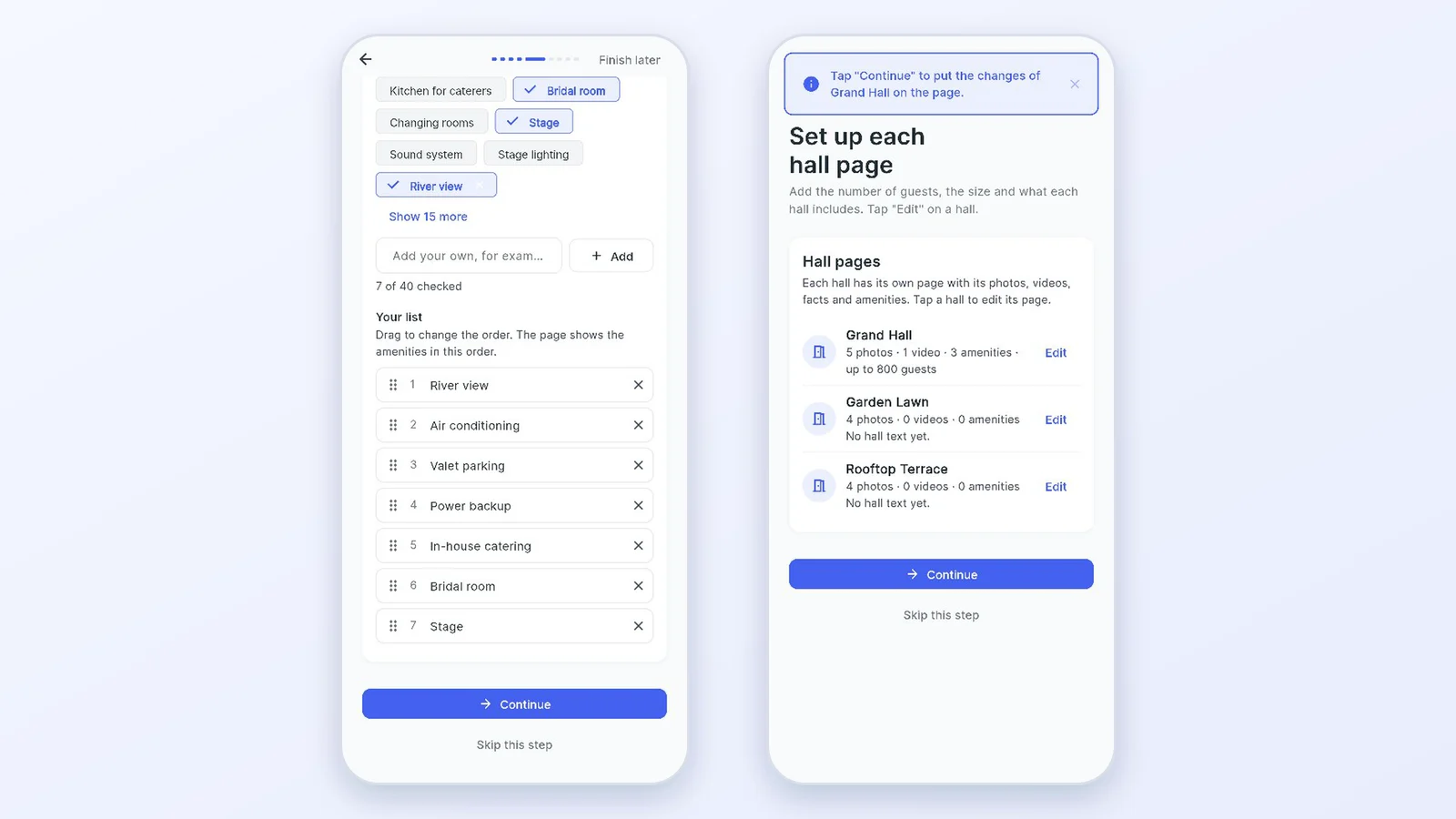
Tick the amenities your venue has, add your own, and drag them into the order you want.
Then tap Edit on a hall to add the most guests, the area, the floor, a few words about the hall and what is included with it.
5Set up the inquiry form and how customers reach you
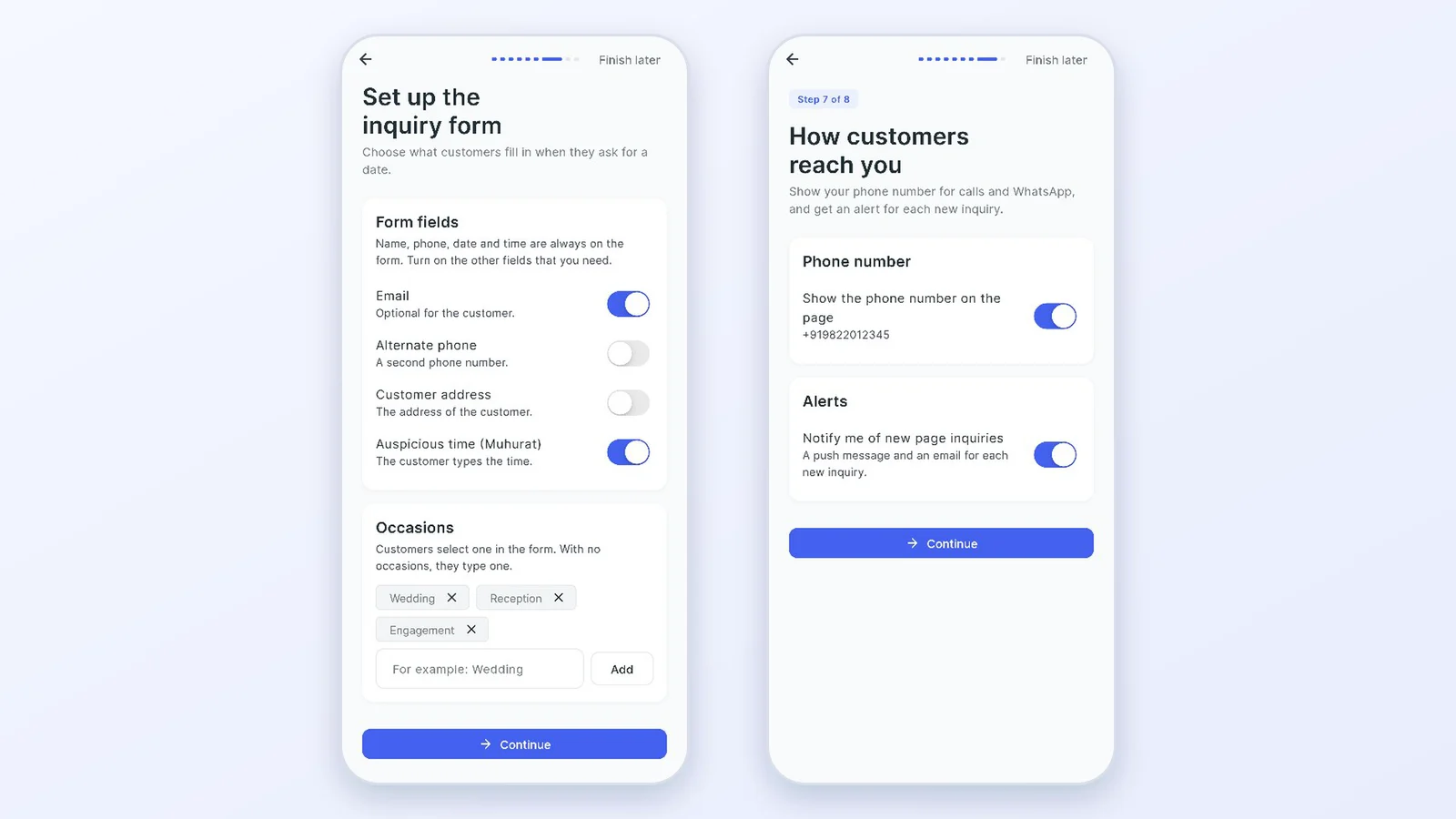
Name, phone, date and time are always on the form. Turn on email, alternate phone, address or auspicious time (Muhurat), and add the occasions you host.
Choose whether to show your phone number for calls and WhatsApp, and keep the alert on to get a push message and an email for each new inquiry.
6Check and publish
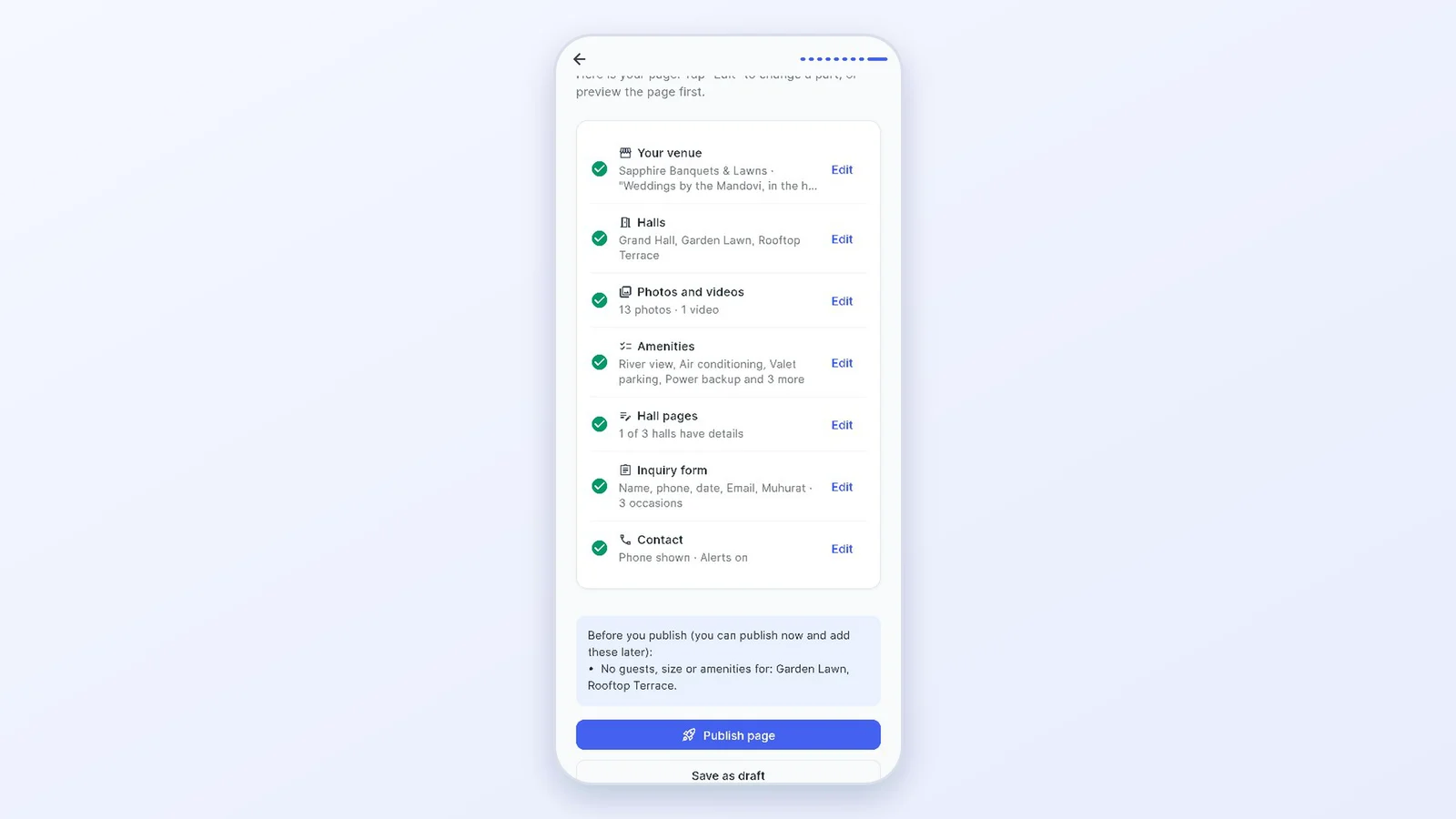
The last step lists everything with an Edit link and anything still missing. Tap Publish page, or save it as a draft and preview it first. Changes show on the page in about a minute.
7What customers see
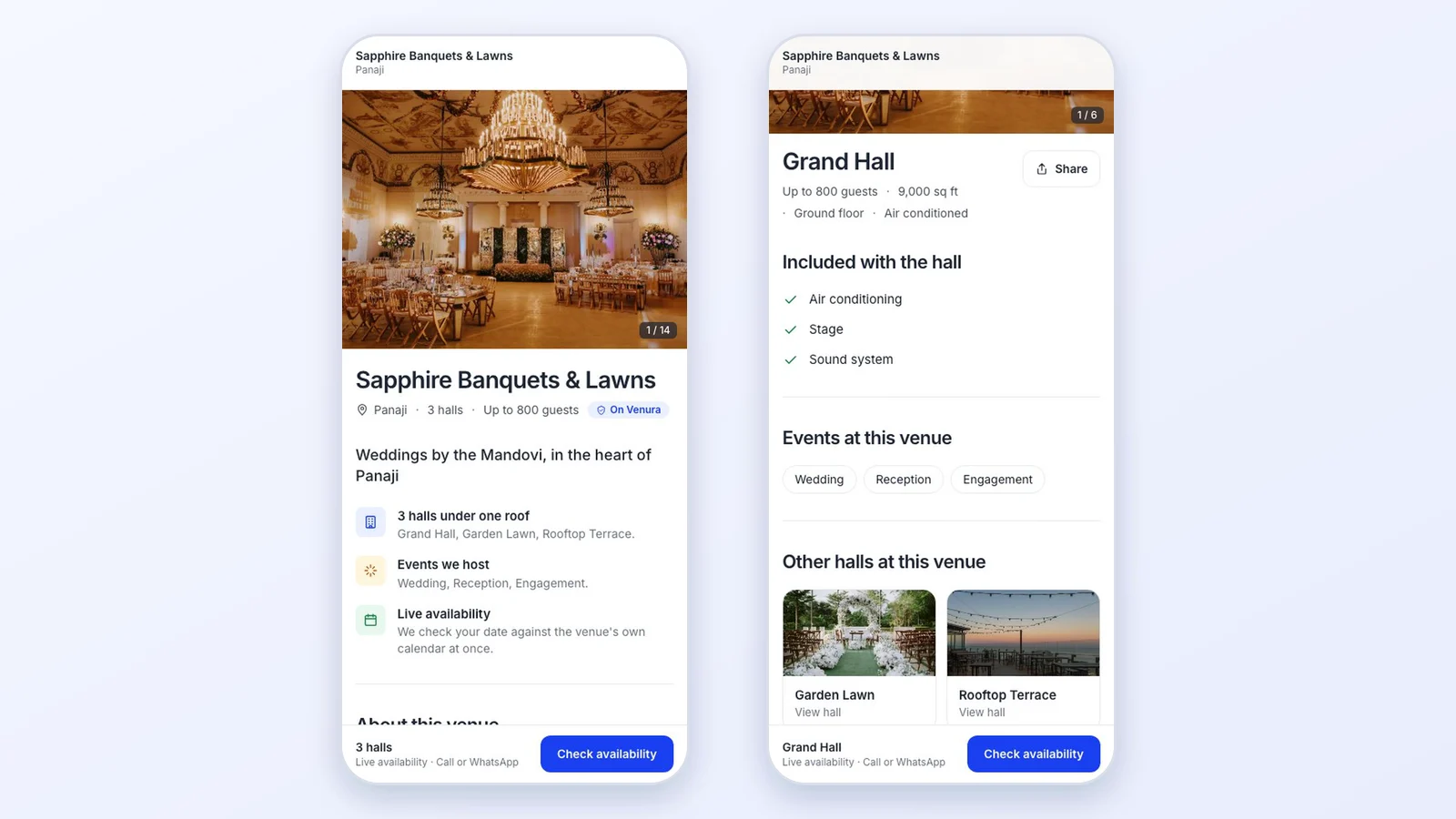
Customers open your page on any phone or computer and see your photos, halls and amenities. Each hall has its own page with its photos, facts and what is included, and other halls are one tap away.
8A customer checks a date, and the inquiry comes to you
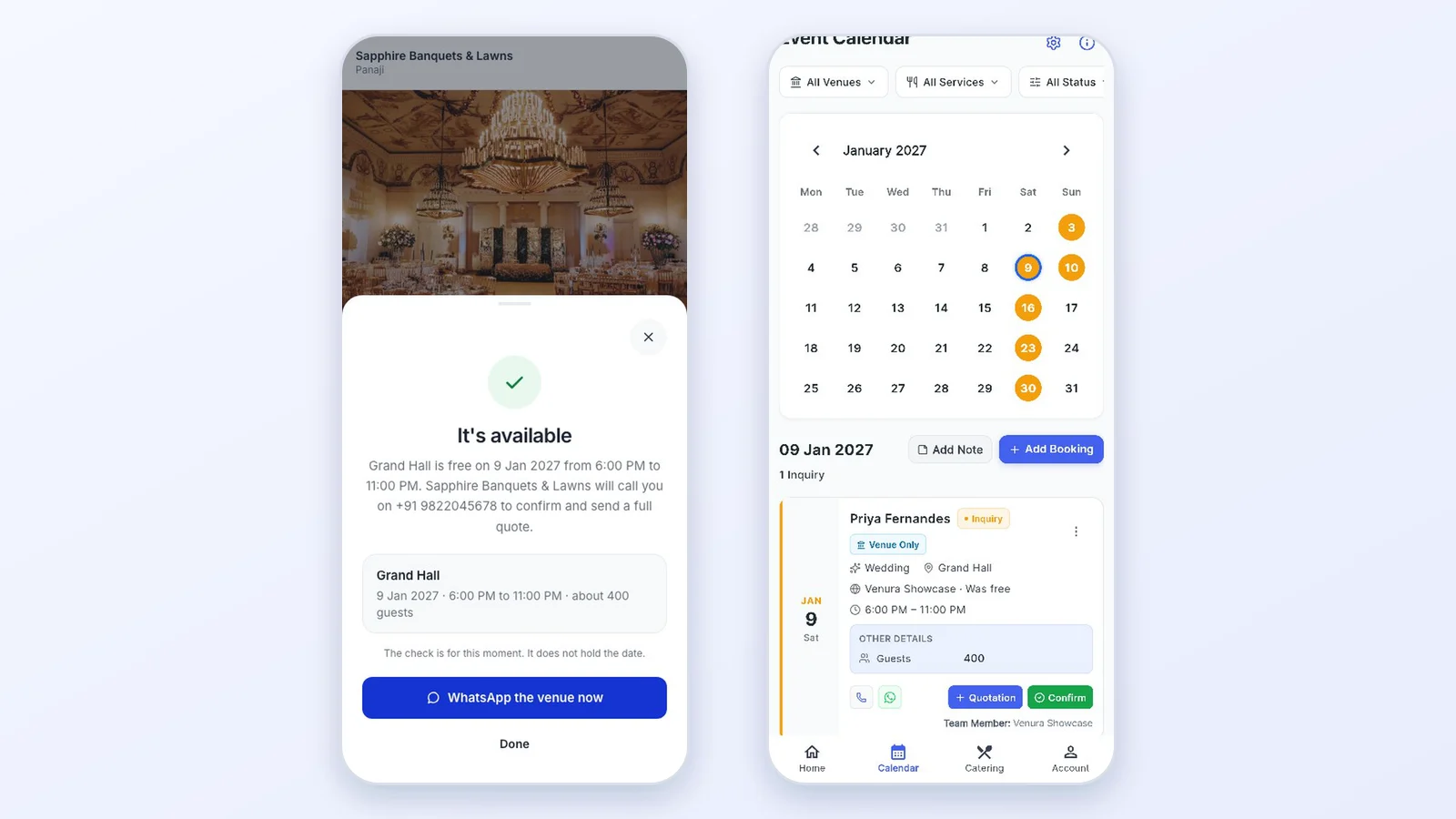
The customer picks a date, the time, the hall and the occasion. The page answers at once, checked against your own Venura calendar. The check does not hold the date: you call back and confirm.
The inquiry appears in your calendar tagged Venura Showcase, with the answers from the form, and you get an email and a push alert. From there you send a quotation or confirm the booking.
What a venue website should show
Families decide from the page before they call. Make sure yours answers these; the second column shows where each comes from in Venura Showcase.
| On the page | In Venura |
|---|---|
| Clear photos of every hall, the stage and the entrance | Photos and videos for each hall |
| How many guests each hall takes, and its size | Hall pages: most guests, area, floor |
| What is included with each hall | Hall pages: included with the hall |
| Facilities: parking, power backup, catering, AC | What this venue offers |
| The events you host | Occasions on the inquiry form |
| A quick way to ask about a date | Check availability, answered from your calendar |
| How to reach you | Phone for calls and WhatsApp (optional) |
What happens after an inquiry
- Follow up the inquiry
- It is in your calendar and inquiry board with the customer's answers.
- Free follow up the inquiry format →
- Send a quotation
- Turn it into a quotation with hall rent, extras and GST, and send the PDF on WhatsApp.
- Free send a quotation format →
- Keep dates clash-free
- The same calendar blocks double bookings of a hall.
- Free keep dates clash-free format →
Good to know
- The availability check does not hold or book a date and takes no payment. You call the customer back and confirm the booking.
- Each hall shows up to 12 photos and 2 videos. Videos must be 60 seconds or shorter and under 50 MB.
- The page lives at your-venue.venura.org. Your own domain is not supported.
- Venura Showcase is for venue accounts, and the Venura team turns it on for your account.
Venura Showcase: common questions
What is Venura Showcase?
Your venue's own website at your-venue.venura.org, set up from the Venura app. It shows your halls, photos, videos and amenities, gives every hall its own page, and lets customers check a date and send you an inquiry.
How does live availability work?
When a customer checks a date, time and hall, the page answers at once from your own Venura calendar. It does not hold the date; the inquiry comes to you and you confirm.
How do I get it?
Ask the Venura team on WhatsApp. We turn it on for your account and set your web address, and you set up the page yourself in the app with the 8-step guide.
How many photos and videos can I add?
Up to 12 photos and 2 videos for each hall. Videos can be up to 60 seconds and 50 MB, and iPhone videos work. They are optimised for the web automatically after the upload.
Where do inquiries go?
Into your Venura calendar and inquiry board, tagged Venura Showcase, with the customer's answers. You also get an email and a push alert, and you can turn the alerts off.
Can my staff change the page?
The account owner and full-access managers can change it. Other team members can open and share the link.
Is my phone number shown?
Only if you turn it on. Customers can always send an inquiry through the form.
Does Venura take a commission on inquiries?
No. Inquiries come straight to you.
Keep learning
More feature guides
- Make a banquet quotation and send it on WhatsApp
- Record a booking advance and send the receipt on WhatsApp
- Make a GST invoice from a confirmed banquet booking
- Stop double bookings with a hall-by-hall booking calendar
- Track every banquet enquiry until it becomes a booking
- Export banquet bookings and payments to Tally
- Give staff only the access they need, and see who changed what
- Track event expenses and see your real profit
- Build catering menus and per-plate packages, and send the quote
Ask the Venura team to turn on Venura Showcase for your venue
Every Pro feature is free for 30 days. No card needed.
Ready to modernize your event business?
Explore the Venura ecosystem or speak with our team.